Hands on the wheel.
Choose which sections appear in the car, jump through long lists by letter, start a station without typing, and resume the moment you connect.
CarPlay guide → sonamp
iPhone · iPad · Mac · Watch · TV Built for people with a real music collection
Sonamp brings Plex, Jellyfin, Subsonic, network shares and Apple Music into one collection — then listens to every track on-device so it can build radio that actually understands what you like, and play it bit-perfect to every room in your home.
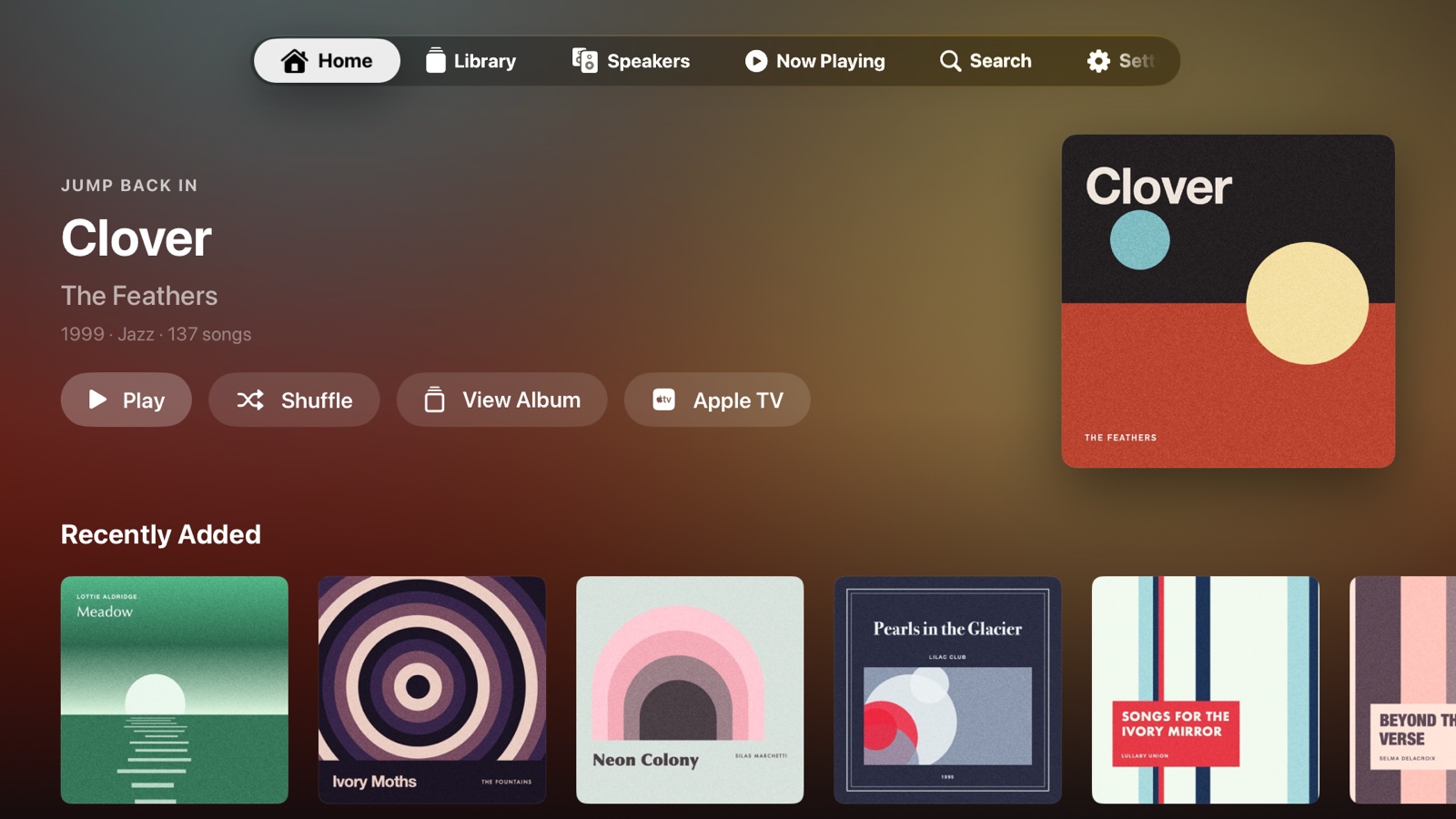
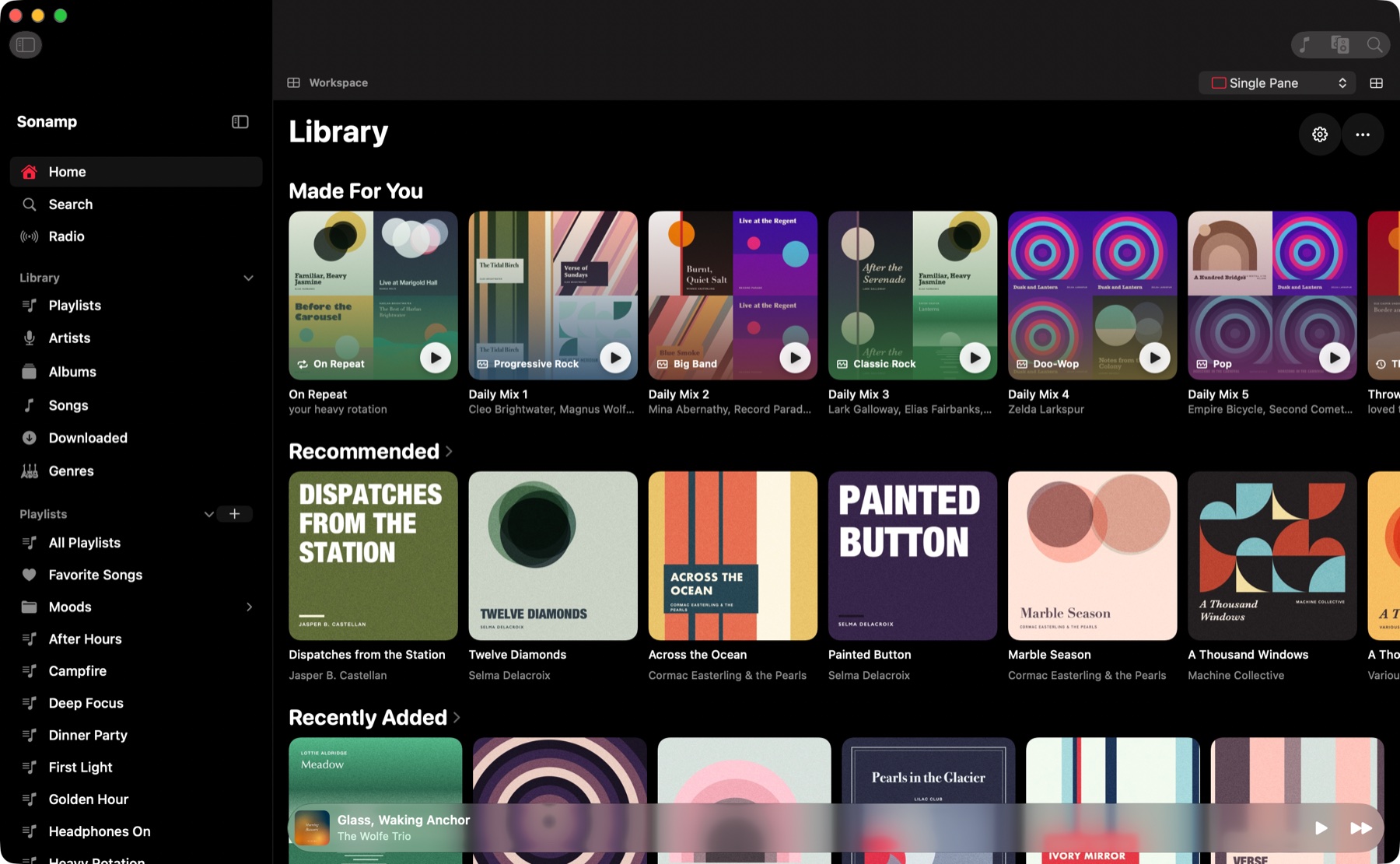
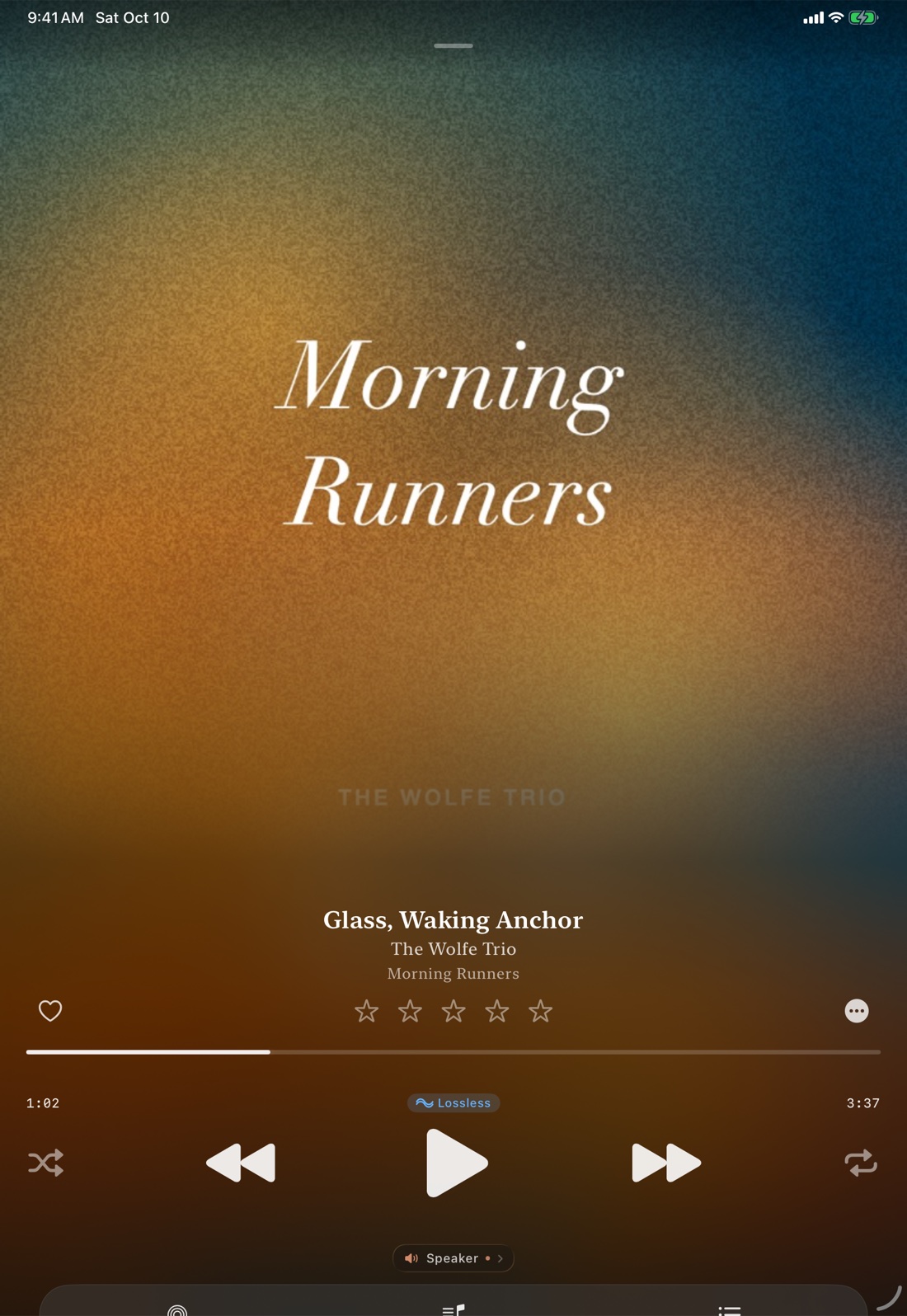
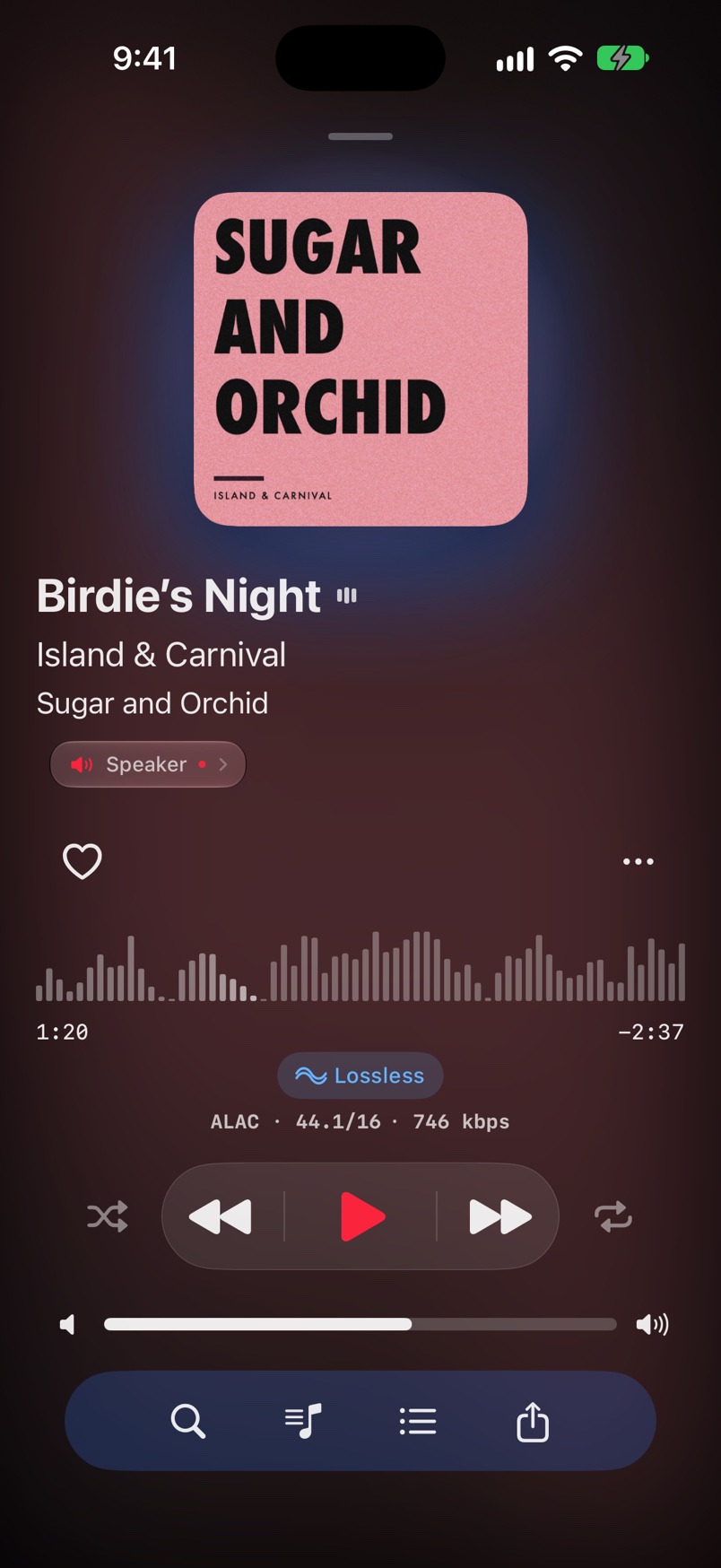
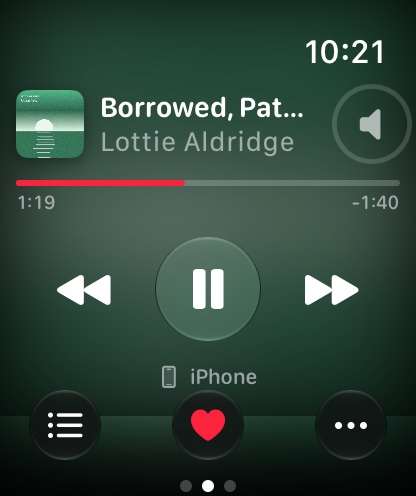
Apple TV · Mac · iPad · iPhone · Apple Watch — every picture is the app itself
01 — The idea
Your collection took years to build. It deserves more than alphabetical order and a search box. Sonamp analyses the actual audio of every track on your device, learns the shape of your taste from how you really listen, and turns all of it into a player that fits the way you think about music.
Servers, network shares and Apple Music indexed locally so browsing 500,000 tracks stays instant — while each source keeps its own identity.
Embeddings, tempo, key, loudness, mood and live-recording detection computed on your device. No audio ever leaves it.
Bit-perfect mode, gapless albums, AutoMix and DJ Mix transitions, ReplayGain, parametric EQ, convolution — and a screen that tells you exactly what happened.
Sonos, Chromecast, HEOS, BluOS, AirPlay, UPnP, MPD and OpenHome players, with real grouping, native queues and takeover protection.
02 — Make it yours
Nine complete styles ship with the app, each with its own colours, type, tab bar, pages and player. Try one on the real app before you keep it, change anything you like, or design your own from scratch.
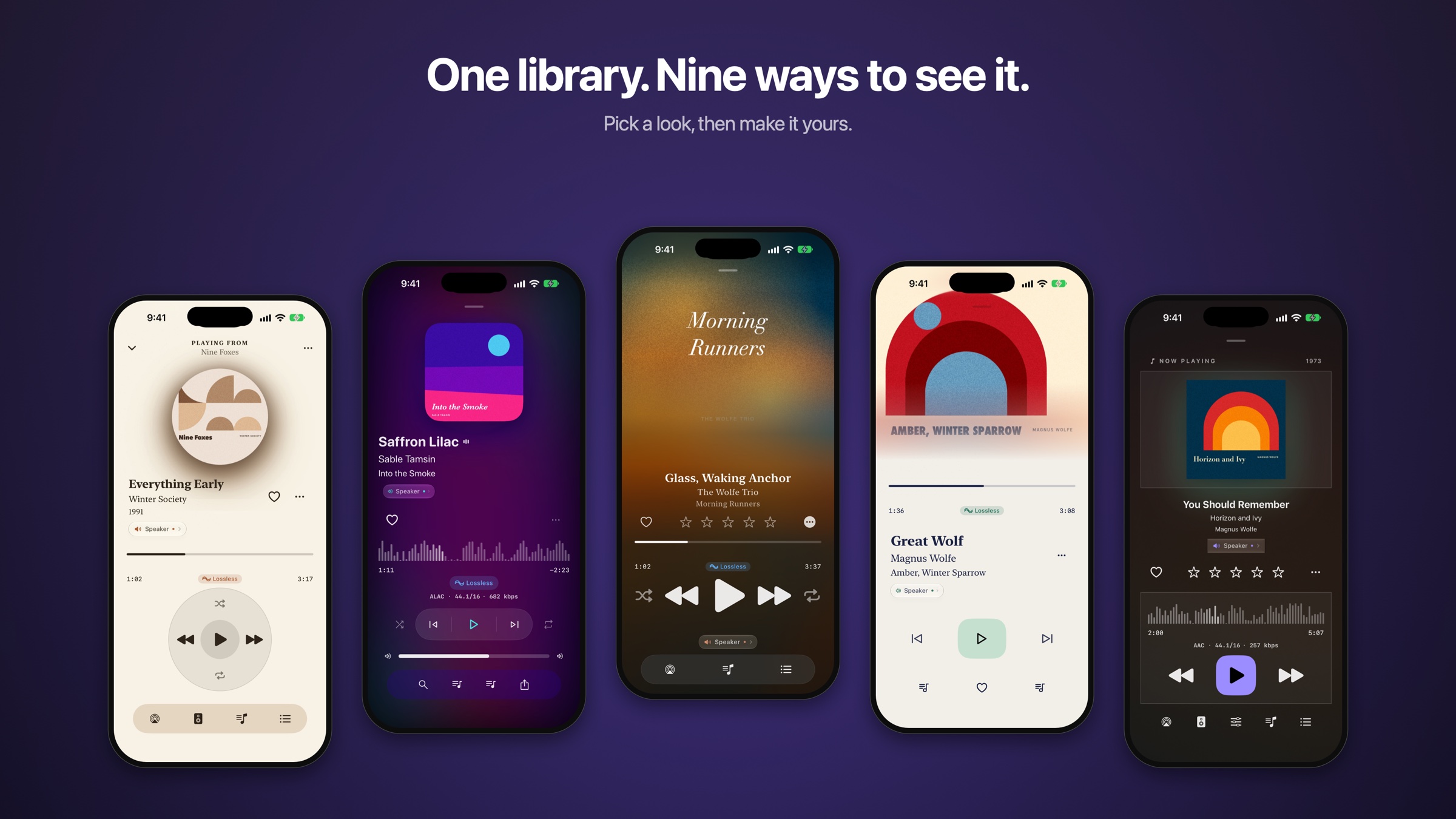
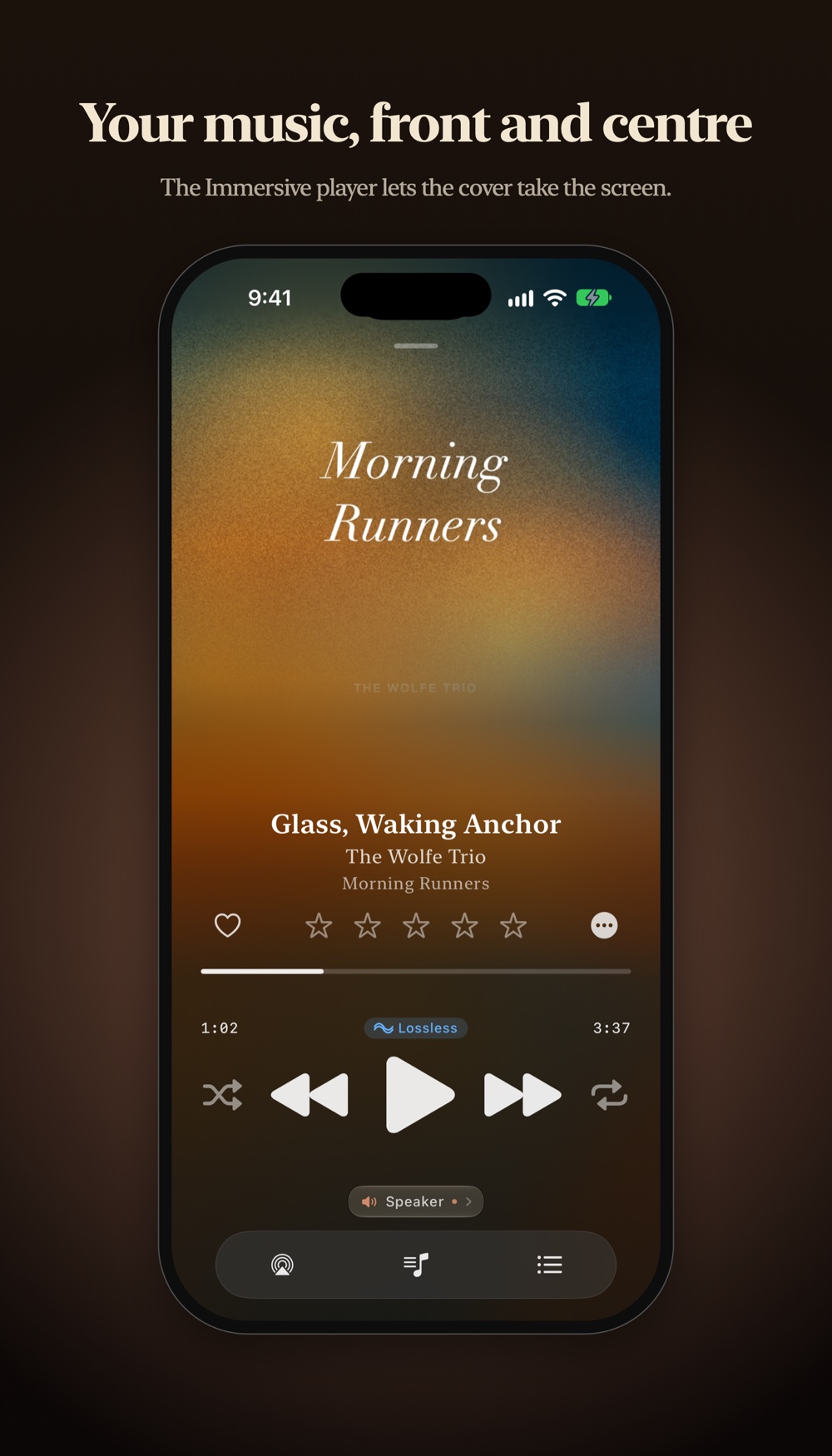
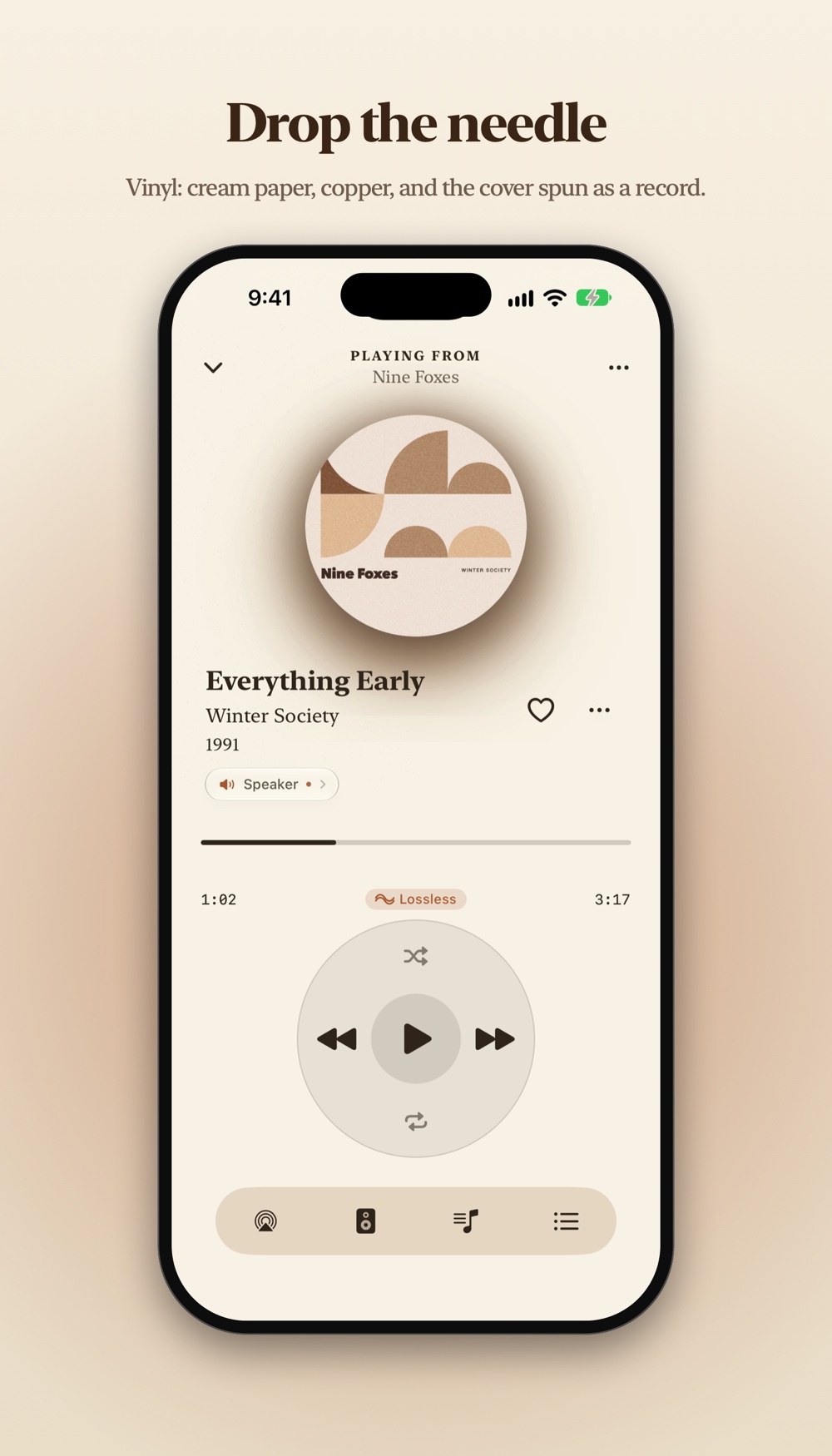
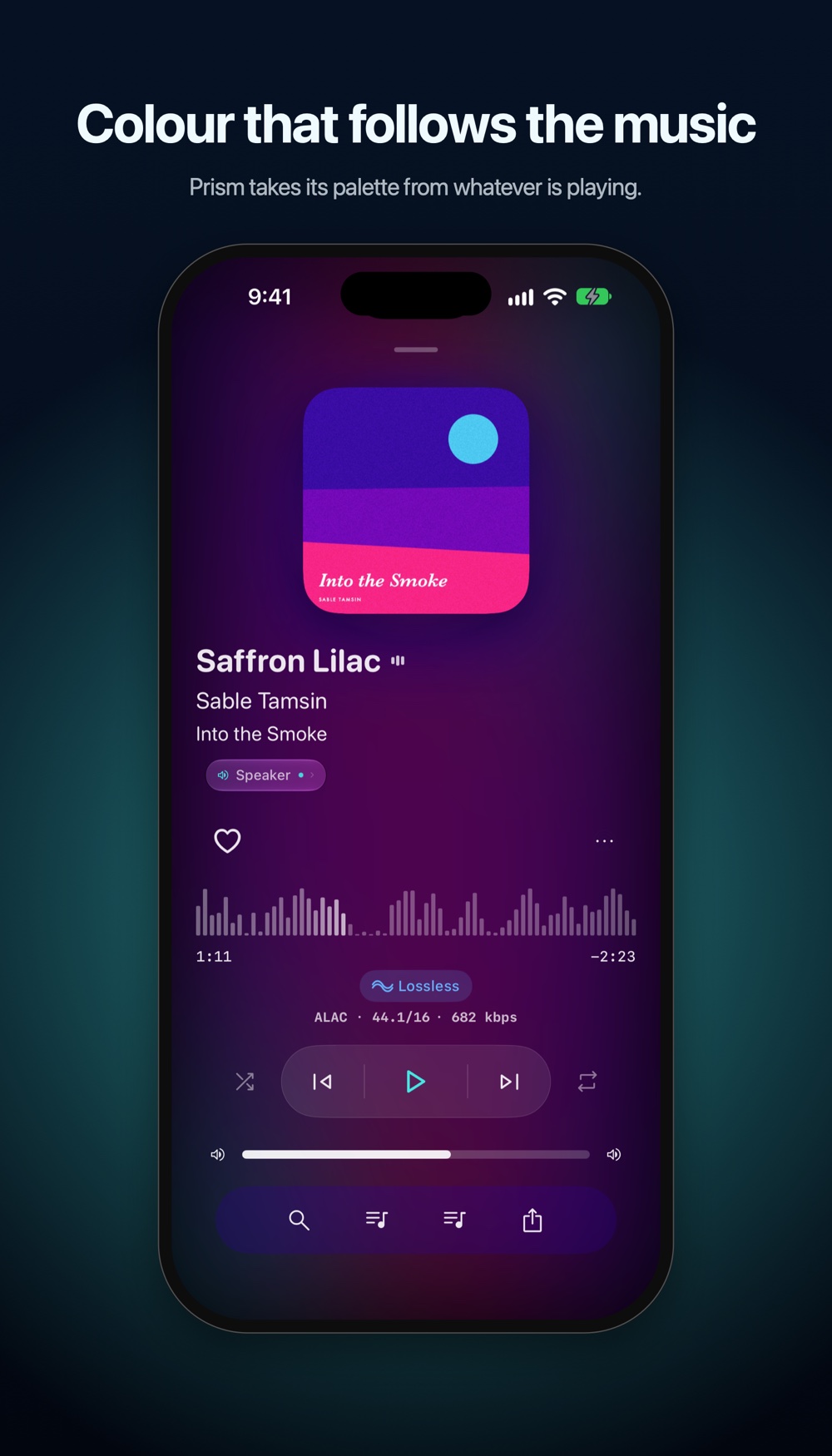
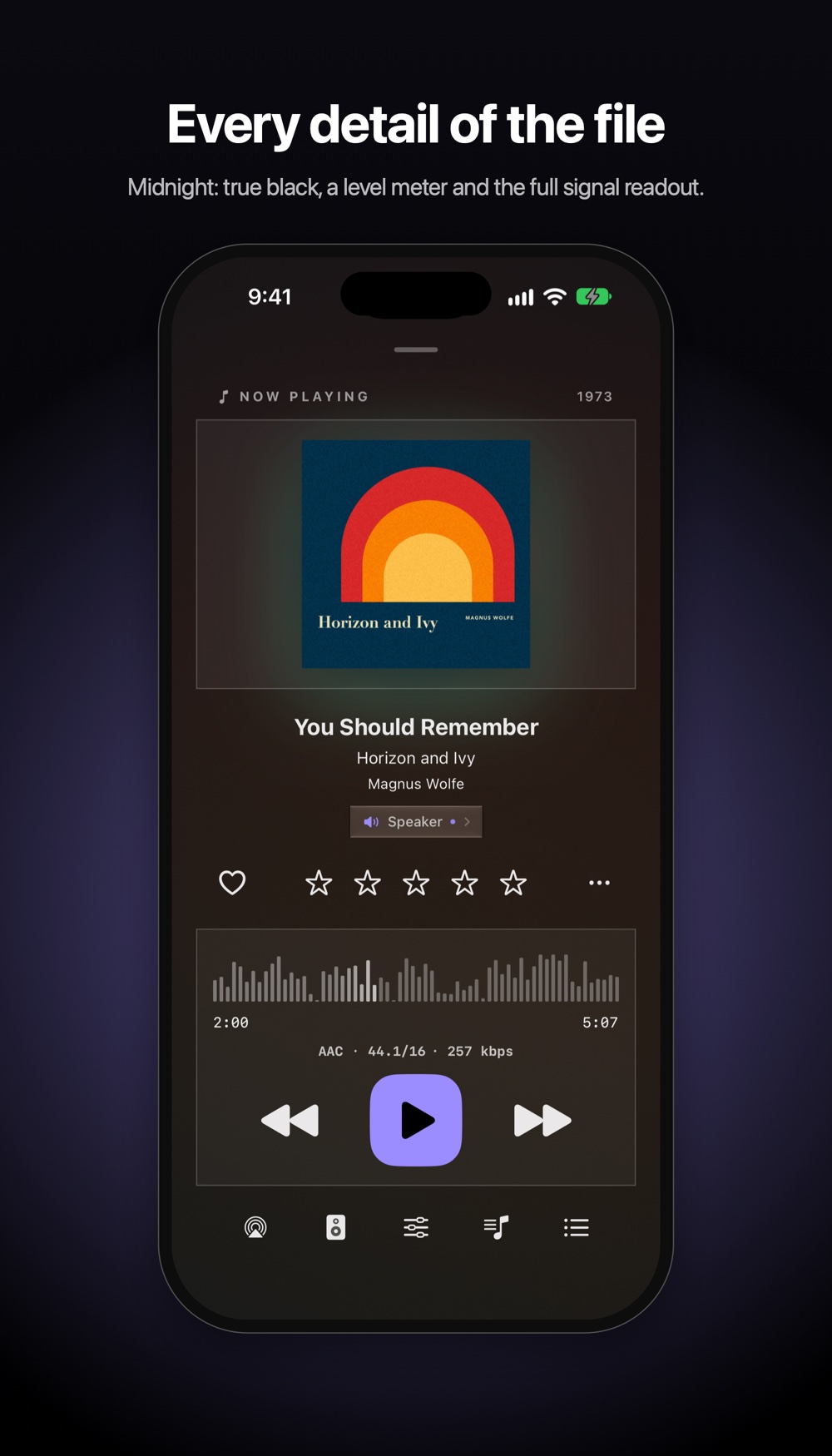
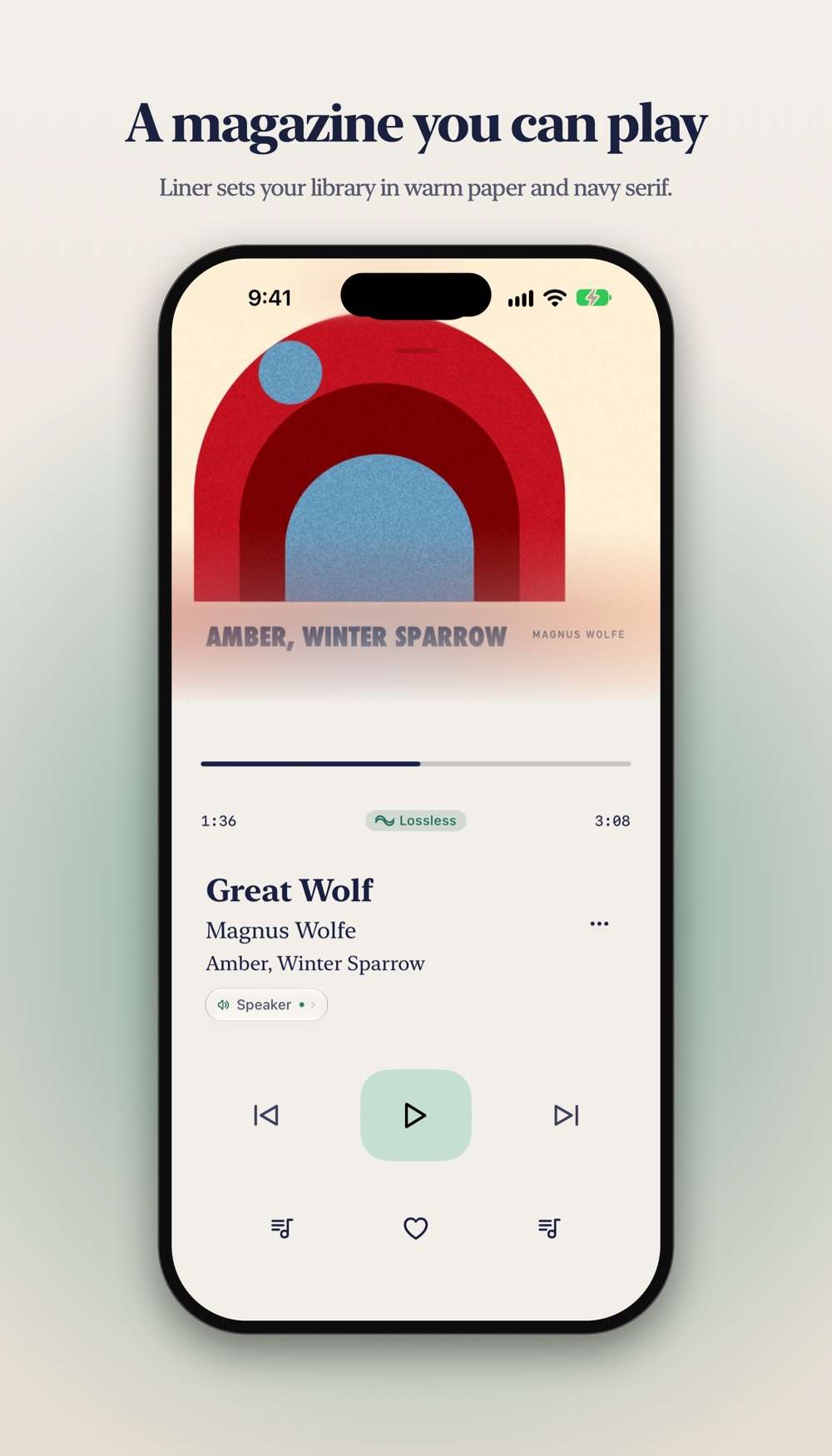
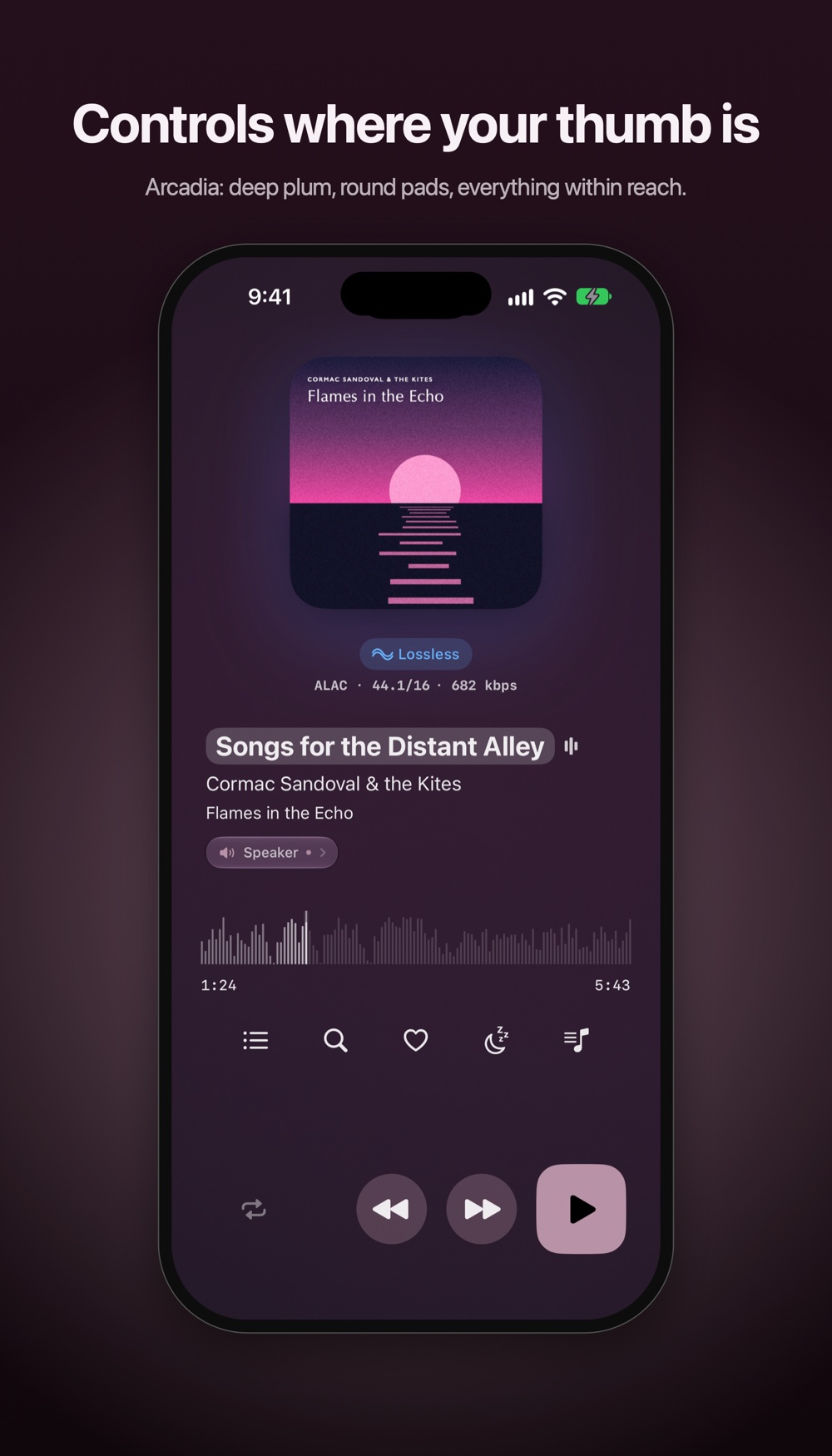
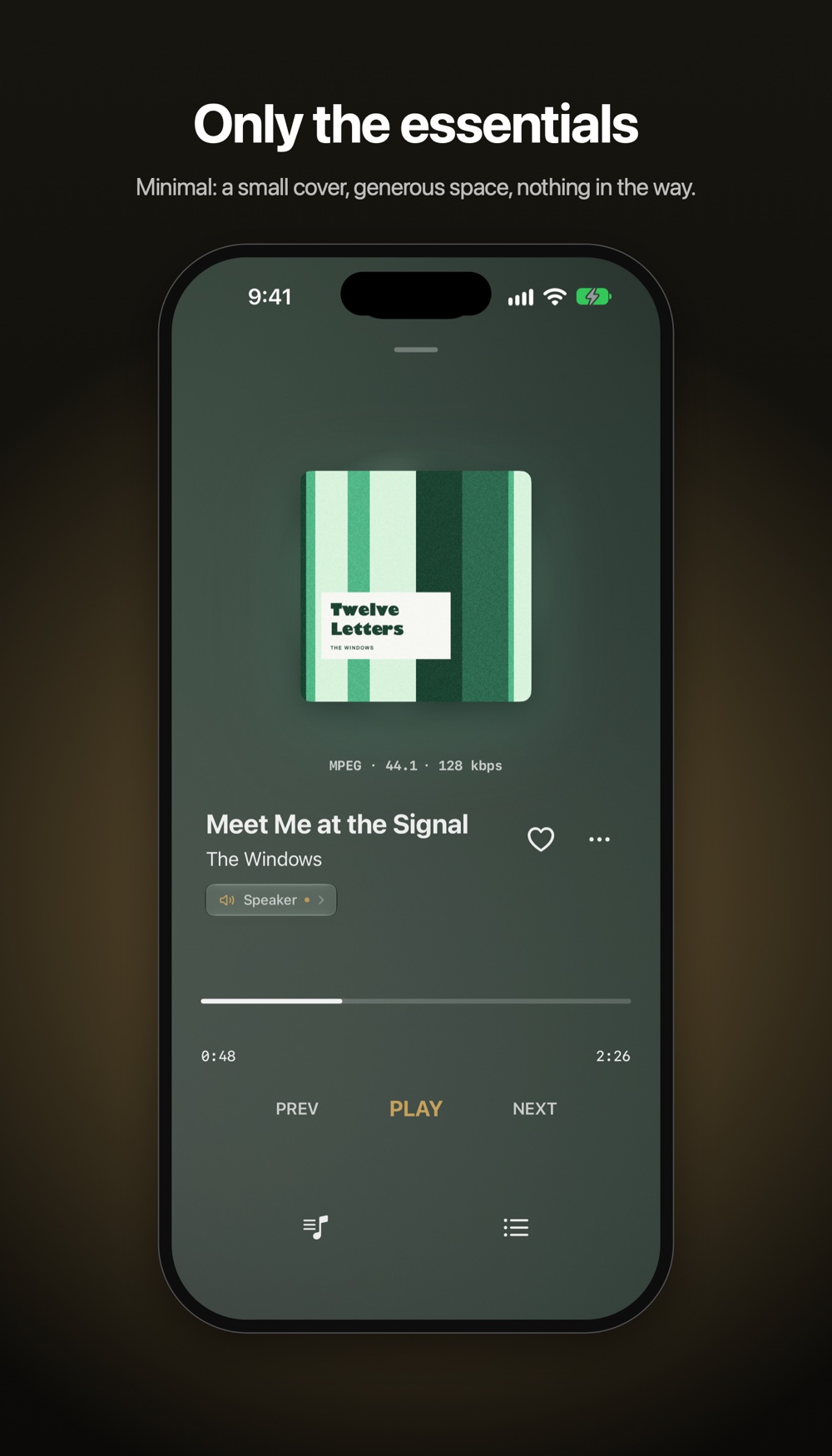
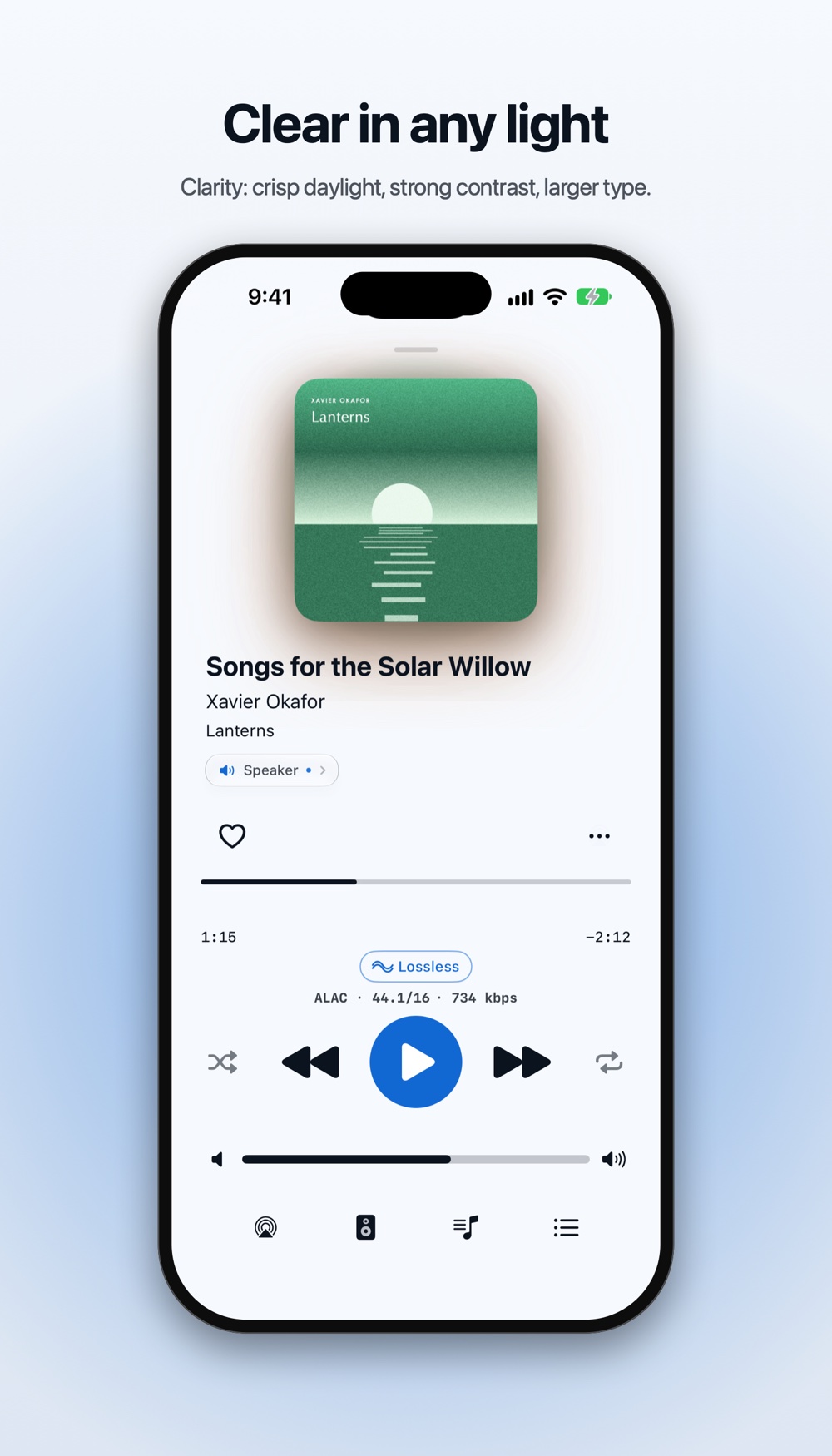
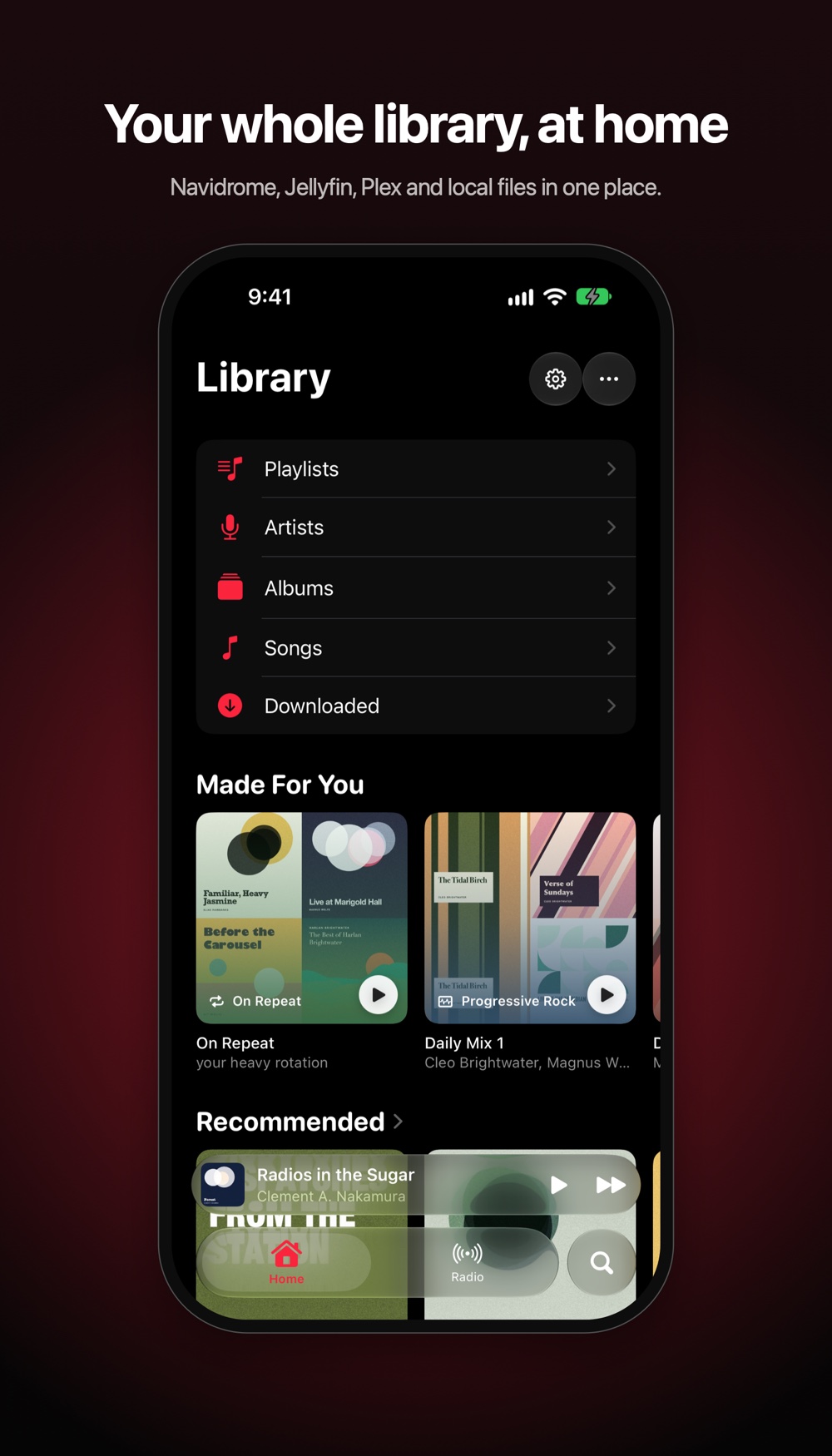
Every colour, typeface, tab bar and row of the player, with a live preview and legibility checks. Download one small file and import it into the app.
03 — Every device
Sonamp is rebuilt for each device rather than stretched to fit it. The same library, the same look, and a layout that belongs on the screen in front of you.
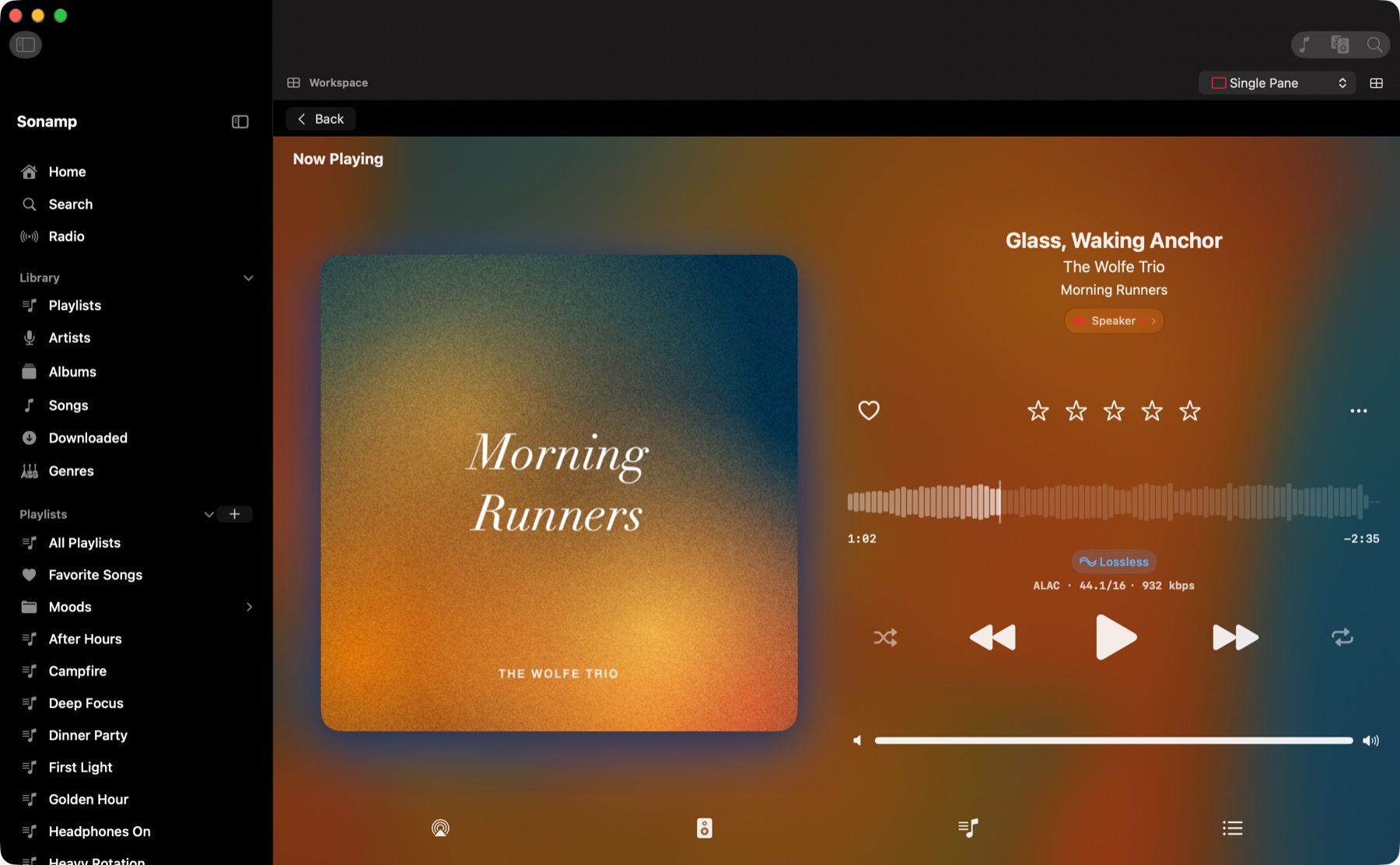
The player sits beside your library instead of covering it, and everything a Mac user reaches for is where they expect it.
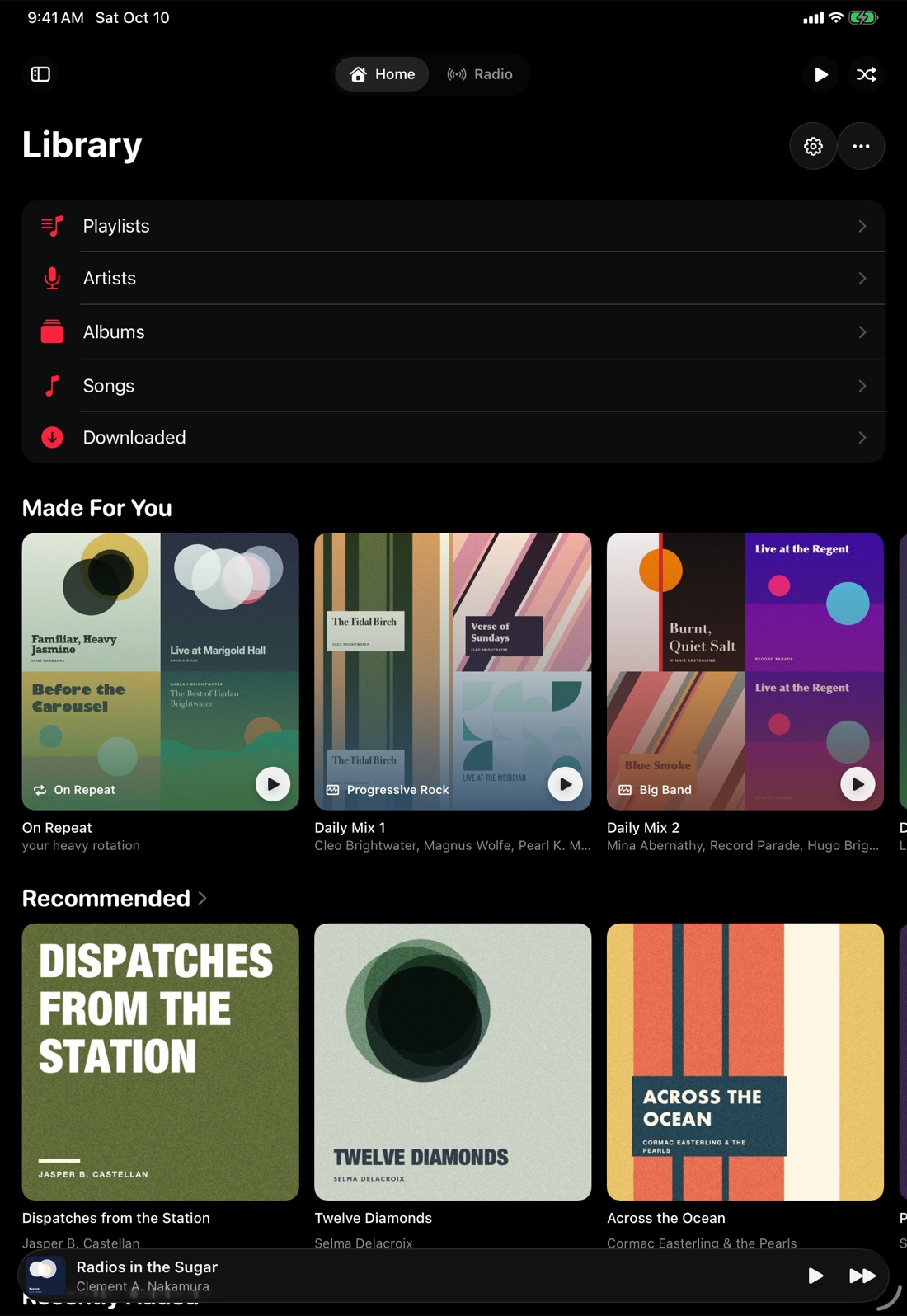
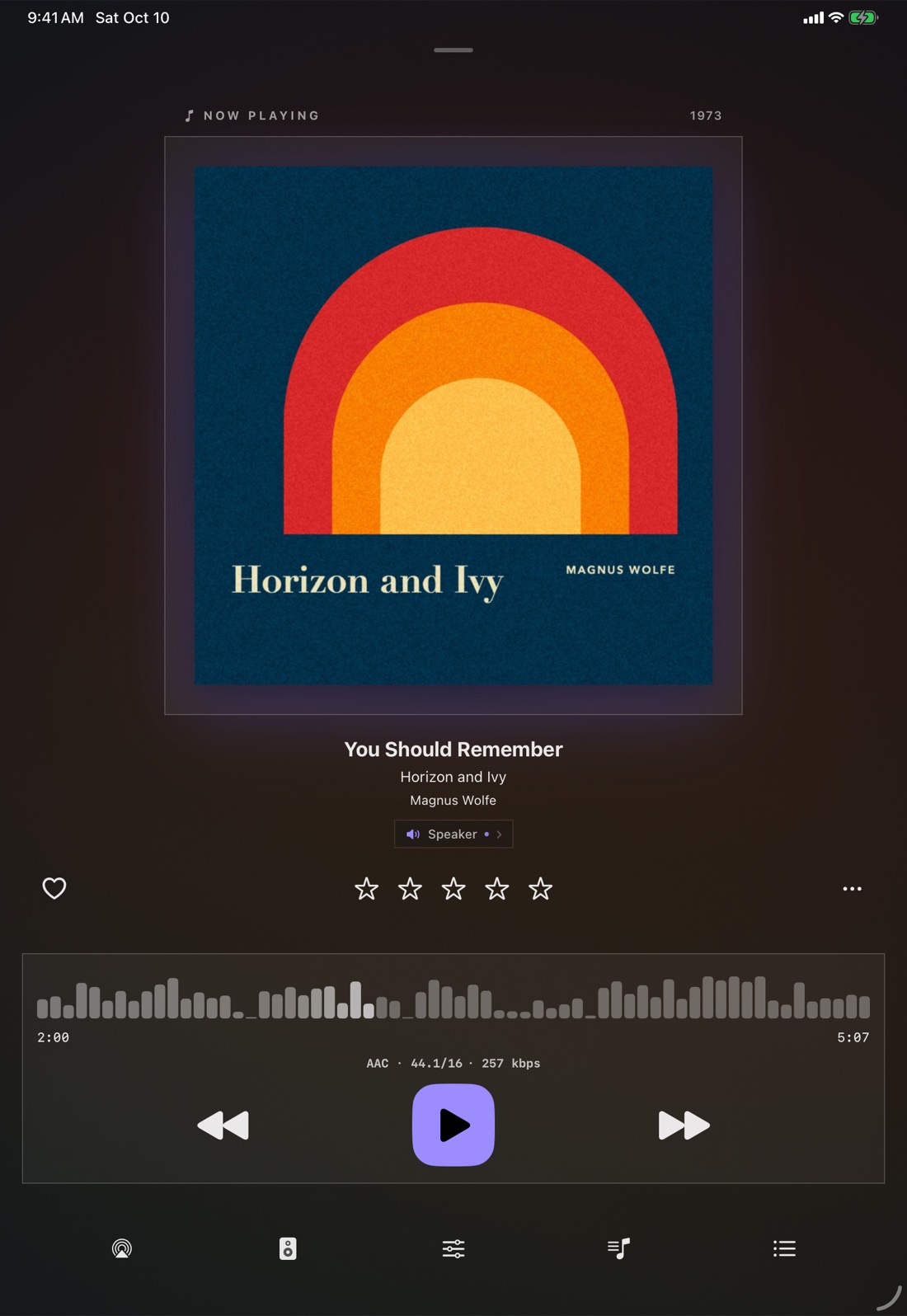
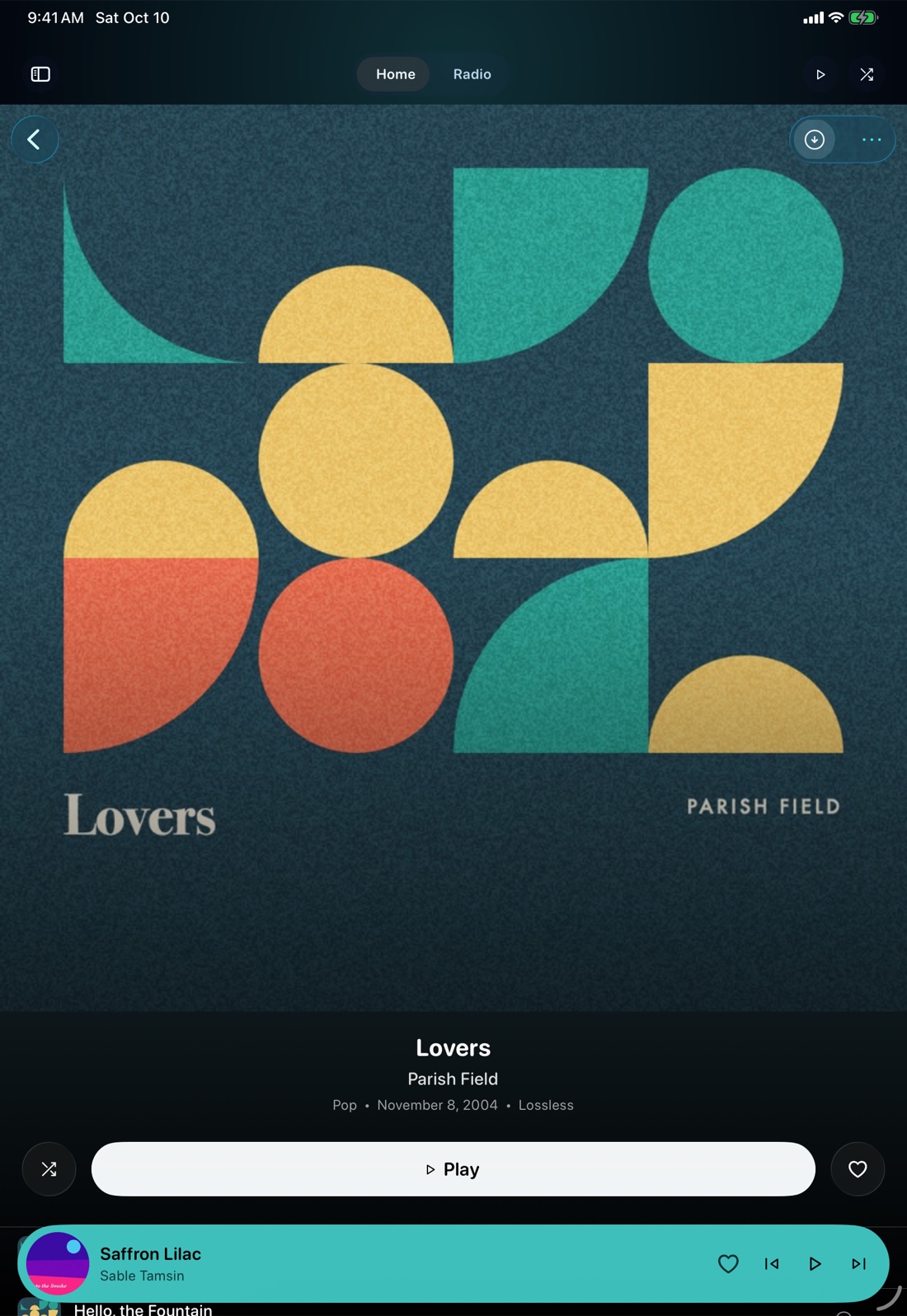
Every feature of the iPhone app, laid out for the width it is given, in any window size.
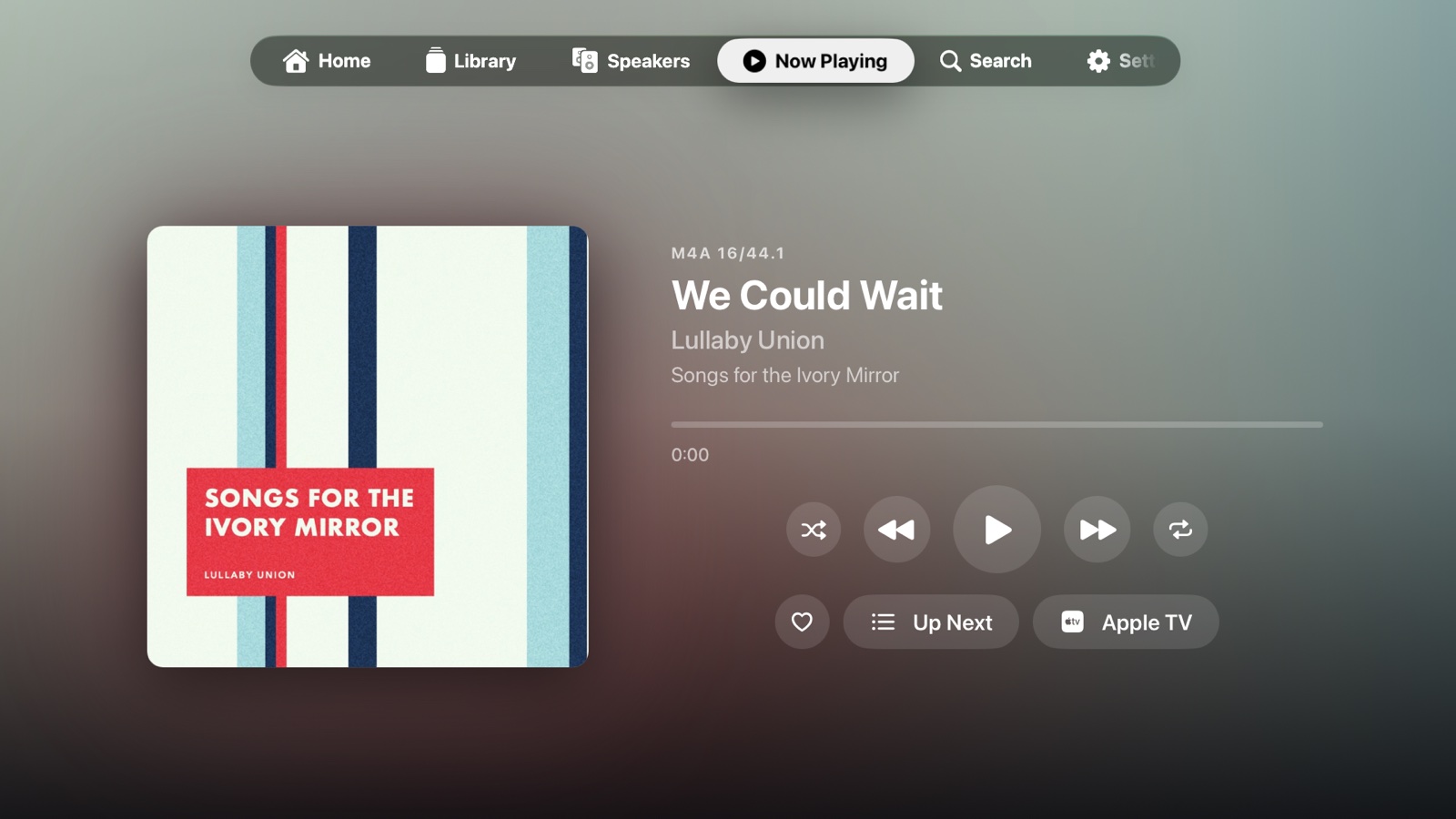
Sign in to your server from the sofa and drive everything from the Siri Remote.
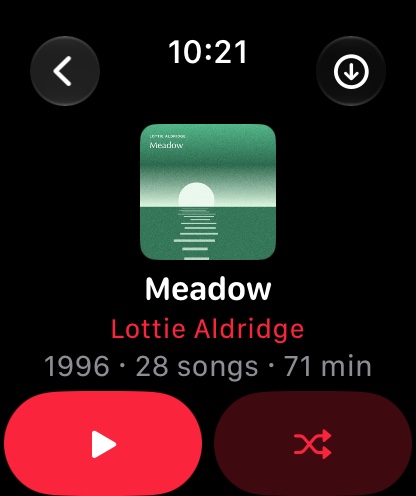
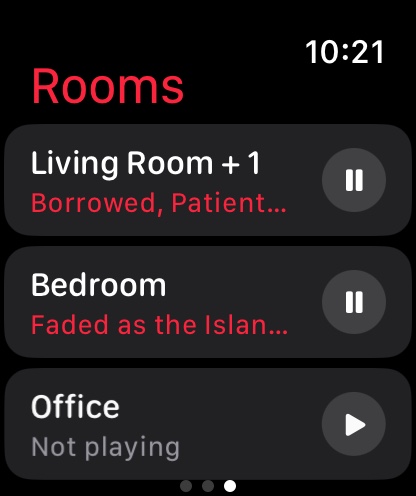
Near your phone it controls what is playing. Away from it, it plays by itself.
Choose which sections appear in the car, jump through long lists by letter, start a station without typing, and resume the moment you connect.
CarPlay guide →Ask Siri for an album, a mix or a speaker by name, control playback from widgets and Control Center, and find your library in system search.
Siri and Shortcuts →04 — What it does
Discovery, library, playback, DSP, rooms, offline, history, personalization and every Apple screen you own — built to behave like one app.
Seed a station from a song, album, artist, genre, playlist, mood or a sentence you type. Sonamp plans a whole session with a real energy arc, spaces artists apart, avoids what you just heard, and re-ranks the queue live as you skip and favourite.
How Radio works →Plex, Jellyfin, Subsonic-compatible servers, SMB, WebDAV and Apple Music — indexed locally, scoped per library, searchable in one field.
Connect a library →Sample-rate matching, DSP bypass, gapless album joins, Opus and HLS adaptive streaming, and a visible Signal Path.
See the signal path →Group Sonos rooms, hand the queue to the speaker itself, cast to Chromecast, drive HEOS, BluOS, MPD and UPnP players, or just use AirPlay.
Explore outputs →The player is a stack of rows you can reorder, hide and space. Seven players to start from, nine control designs, eight scrubbers, six backgrounds — saved and shared as a file.
Design the player →Background downloads that survive restarts, auto-download favourites, per-format quality — and Travel Drive, which keeps the library on a USB drive instead of your phone.
Downloads →Stories, recaps, comparisons, sonic maps and share cards — with years of history imported from ListenBrainz, Last.fm or Libre.fm.
Explore Replay →One shared queue, host permissions, reactions and skip votes — guests join from any browser, no app needed — and a group recap at the end.
Start a Jam →05 — Try the feeling
A Sonamp station is not a list of nearest neighbours. The planner draws an energy curve across the whole session, then fills it with tracks that fit both the sound and the moment.
Flat, low-energy arc. Tight rhythmic tolerance, instrumental bias, and a hard ceiling on tempo change between neighbouring tracks.
06 — The signal path
Sonamp resolves the best available source for the route you are actually using, applies only the processing you asked for, and shows you the result — format, sample rate, every DSP stage, and the destination.
Original file from Plex, or an adaptive AAC/Opus rendition when the network can't carry it.
AVFoundation for common containers; a dedicated OGG/Opus demux and converter path for Opus streams.
Parametric or graphic EQ, dynamics, crossfeed, convolution and ReplayGain — each bypassable, all bypassed in Bit-Perfect.
Local output, AirPlay, Sonos, Chromecast, HEOS or a UPnP renderer, each with its own format ceiling.
Now Playing tells you what was played, what was applied, and where it went — including when a ceiling forced a transcode.
Tone for broad shaping, a familiar 31-band graphic, and true parametric filters with frequency, gain and Q. A live spectrum, auto pre-amp for headroom, clipping protection and A/B comparison between two profiles.
Open the EQ guide →Import an AutoEQ profile for your headphones, or load WAV/AIFF/FLAC impulse responses for room, headphone and binaural convolution. Sonamp can also generate an IR from your current EQ or model a virtual speaker room.
Room & headphone correction →07 — The connected home
Sonamp speaks the protocols your equipment already uses, rather than asking you to buy into one ecosystem. It resolves a speaker-reachable URL for your own files, hands compatible hardware its own native queue, and normalizes transport, volume and metadata across all of it.
SONAMP
Resolve · Queue · Route · Correct · ReportSonamp resolves an address the speaker itself can reach, and proxies local or downloaded files over the LAN when a renderer can't fetch them directly.
Sonos and supported LinkPlay devices receive a real native queue, so playback keeps going when your phone sleeps, leaves, or runs out of battery.
Transport, seek, volume, mute, metadata and ownership are normalized wherever the renderer supports them — with protocol-specific extras still available.
Multi-address servers with happy-eyeballs probing, VLAN-friendly manual endpoints, subscription recovery, takeover protection and format ceilings.
08 — Inside the app
Every picture on this page is the app as it ships, photographed with a demo library of invented artists and albums.
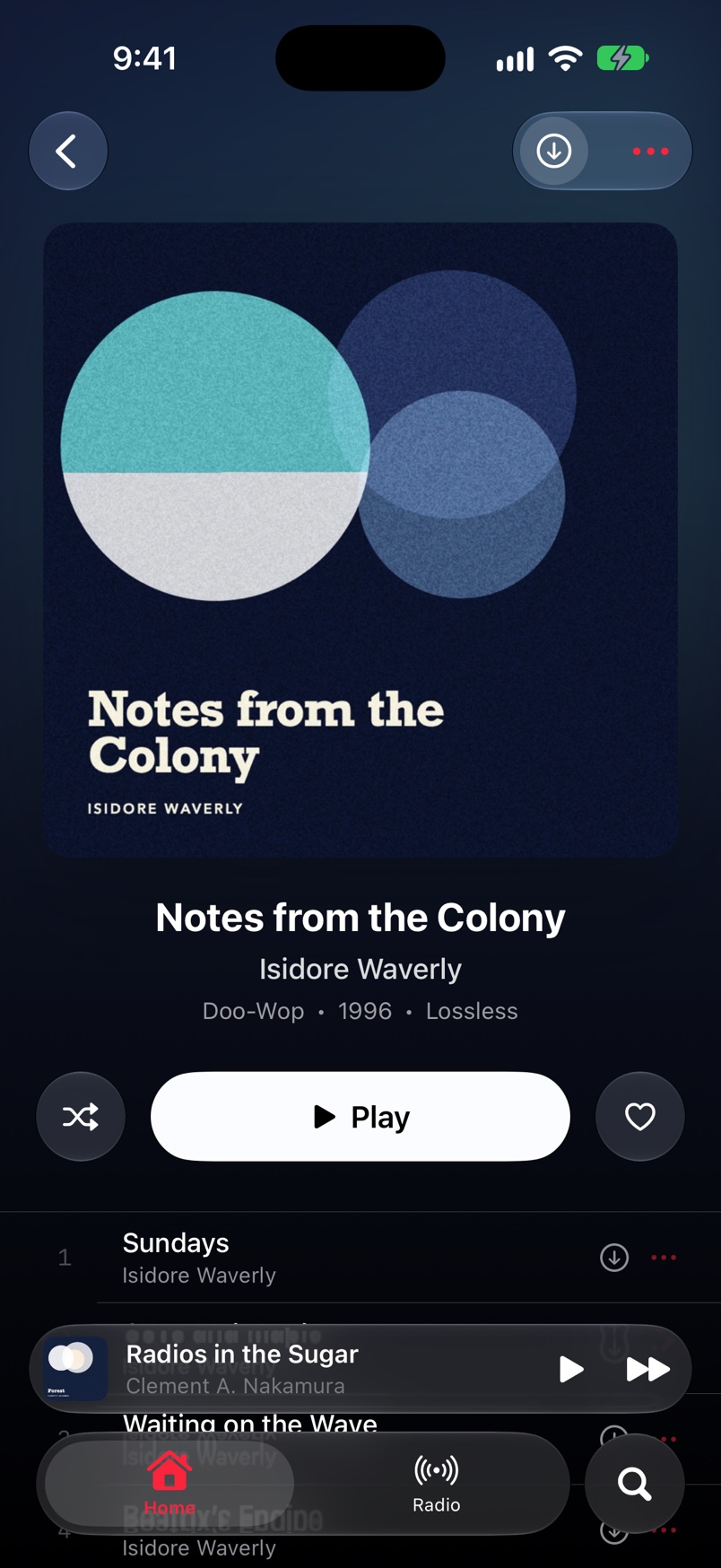
Every album page takes its colour from its own cover. Credits, album info, sonic profile and mood arc sit below the tracks, in the order you choose.
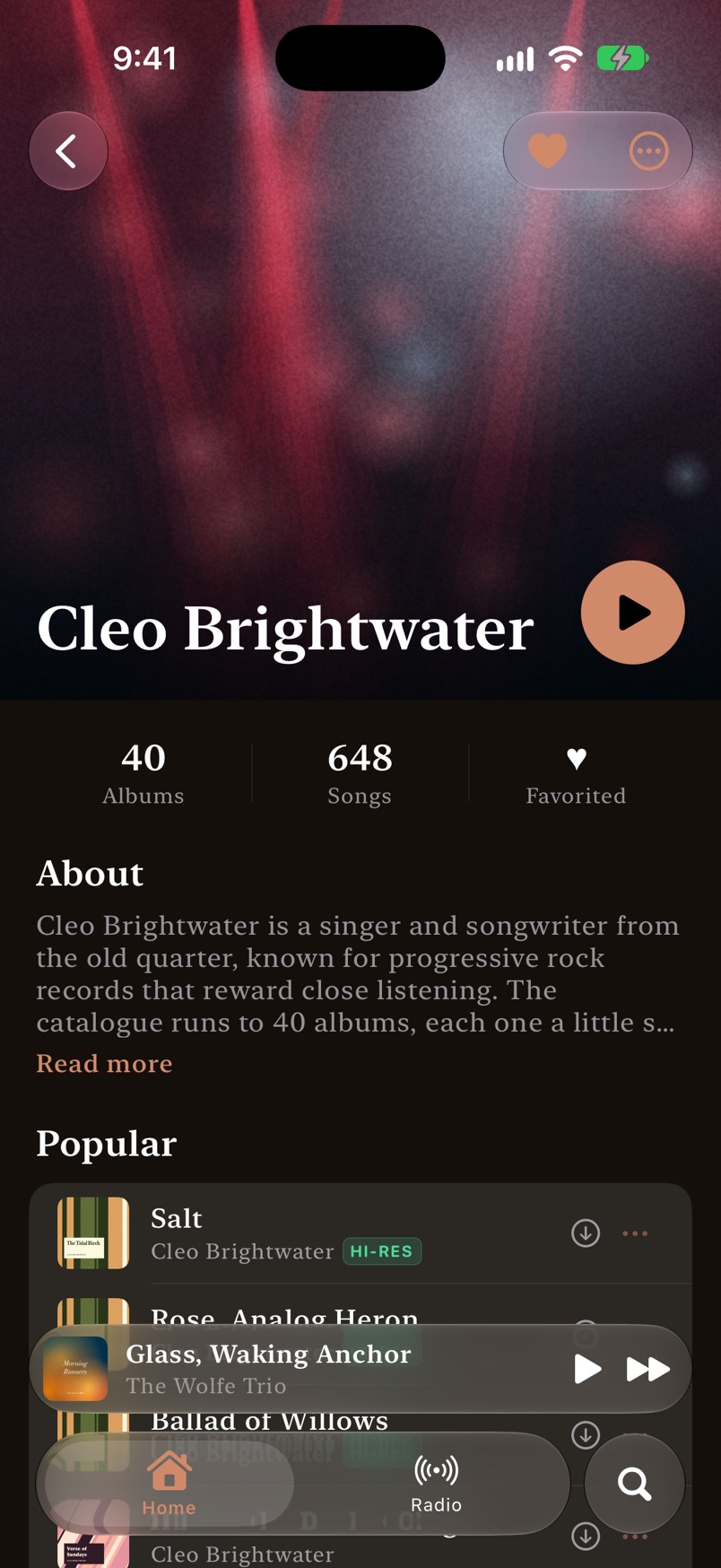
Members, labels, where and when — and what you are missing from their discography. Follow an artist to hear about new releases.
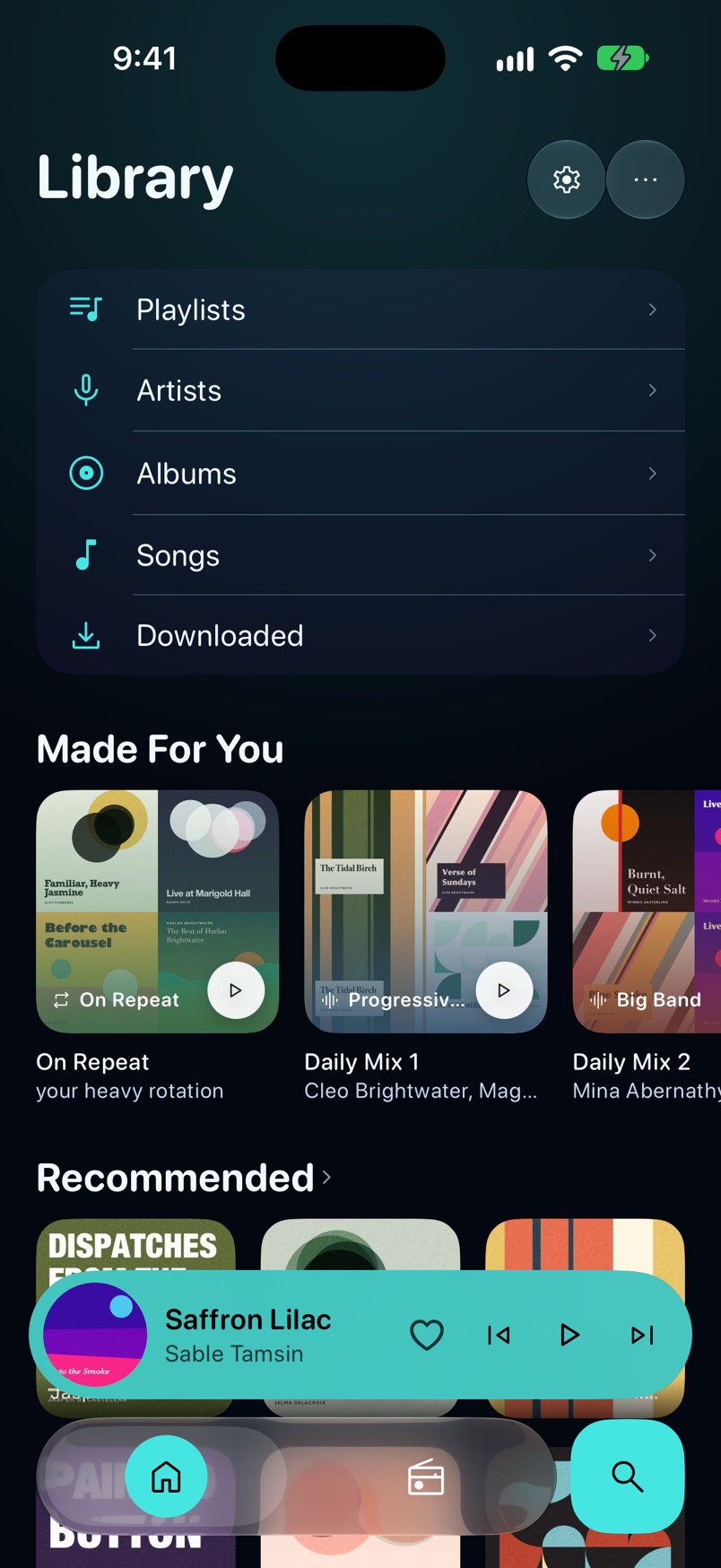
Daily Mixes for each side of your taste, On Repeat, Rediscover, Deep Cuts and a mix for the time of day — built on your device from your own library.
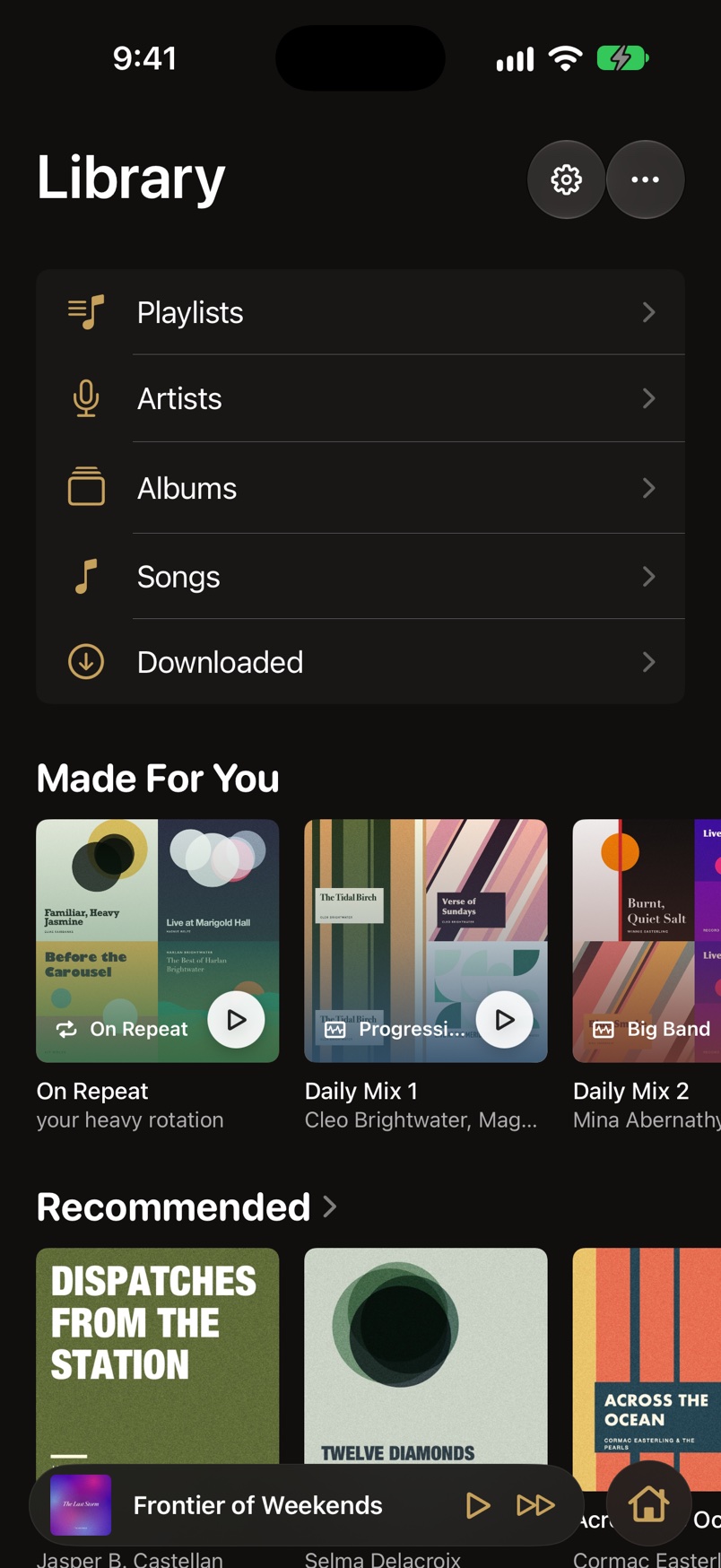
Editorial hero carousel, Made For You mixes, recommendations, recently added, favourites and any library band you want — reorderable, removable, and it doesn't have to be the first tab.
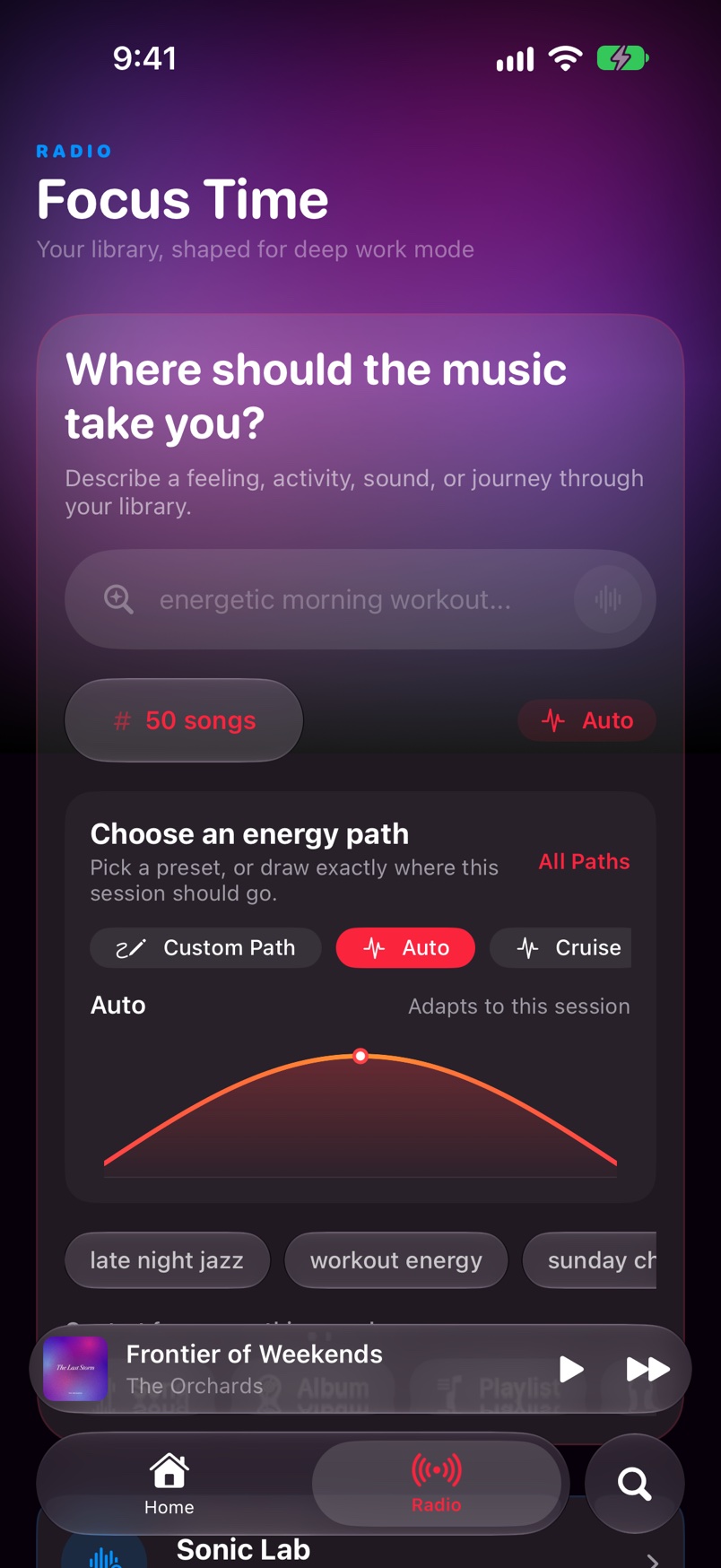
Type a sentence, tap a quick prompt, or seed from an album, song, playlist, genre, artist or one of your discovered listening modes. Every station explains how it was built.
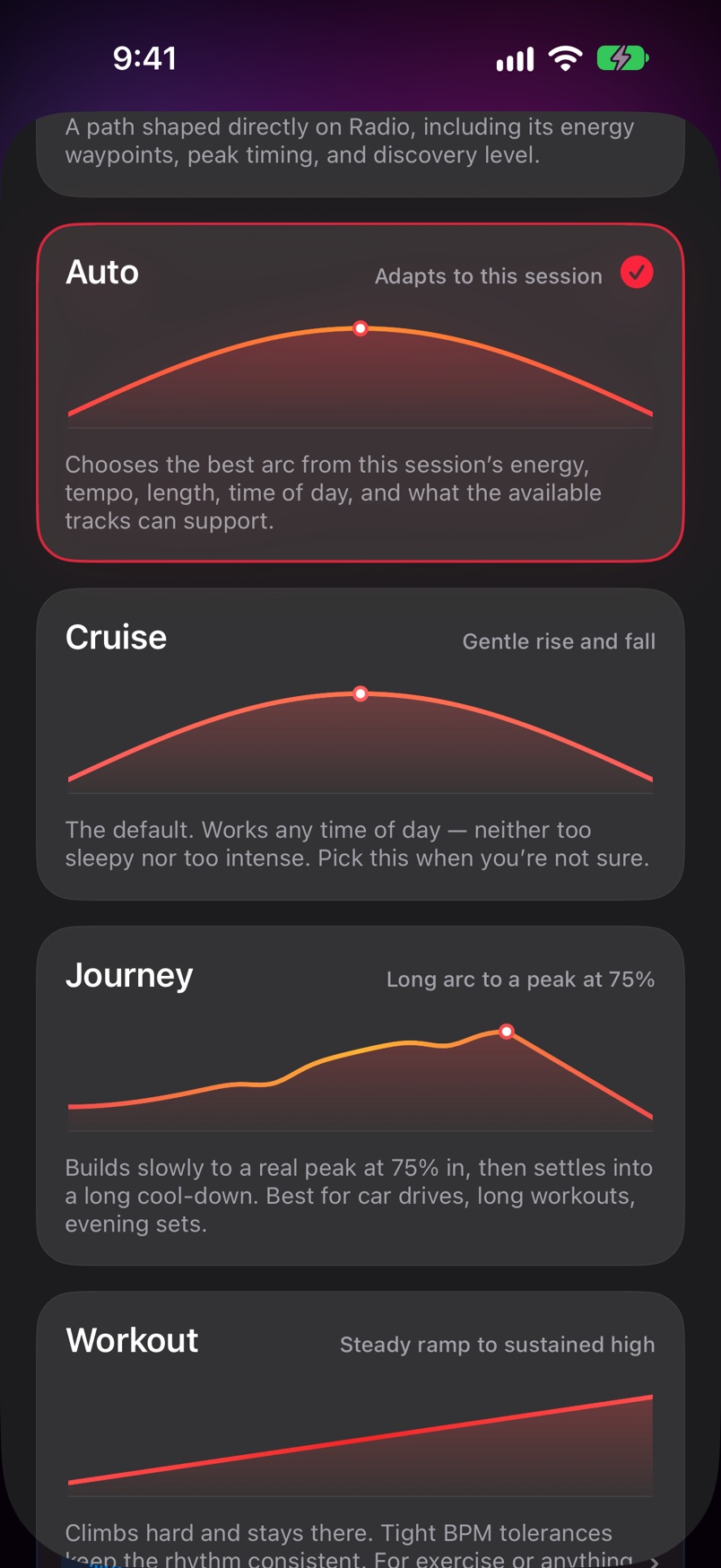
Cruise, Journey, Workout, Two-Peak, Build & Drop, Focus, Wind Down, Discovery — or draw your own energy and discovery path.
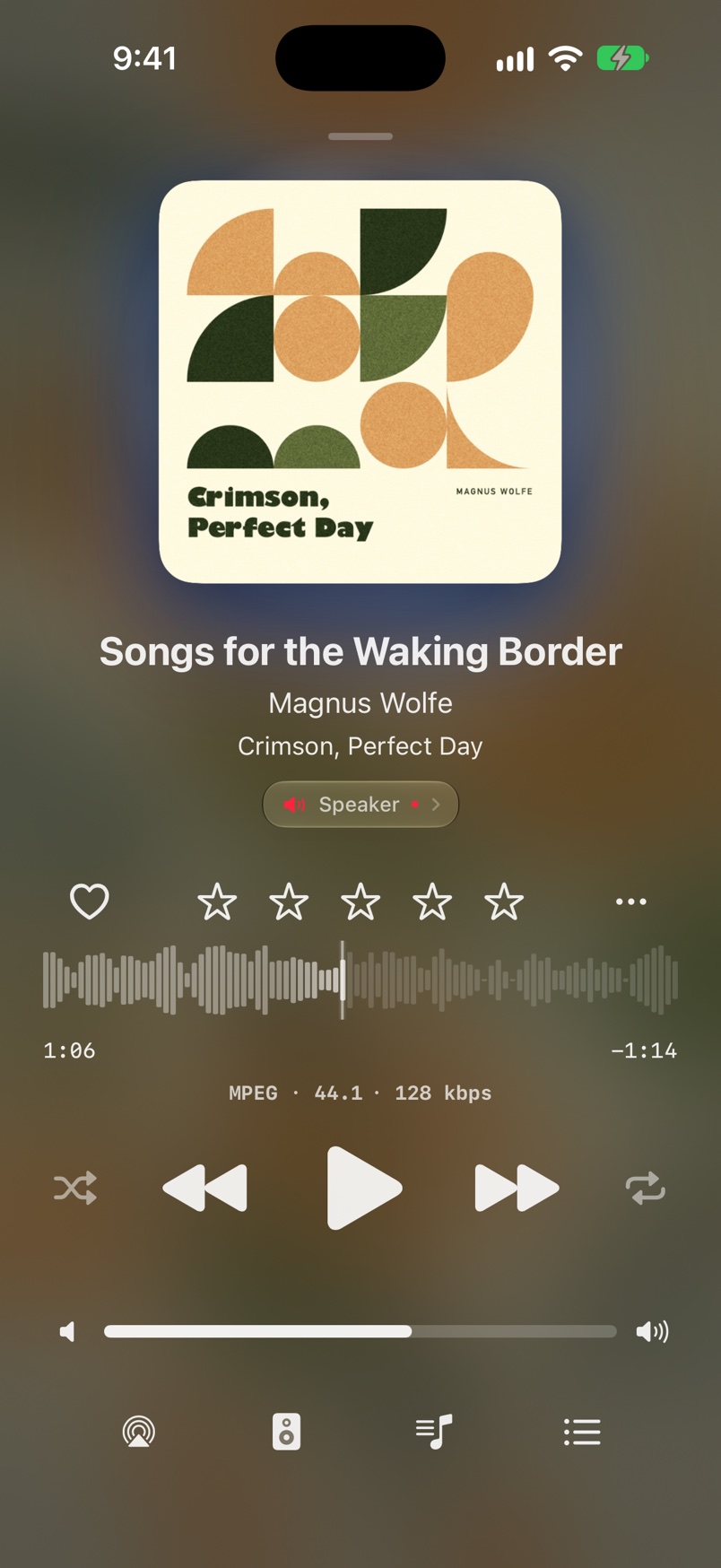
Choose the cover, background, scrubber, badges, controls and icon row. Reorder or hide every single row. Save the result as a player style.
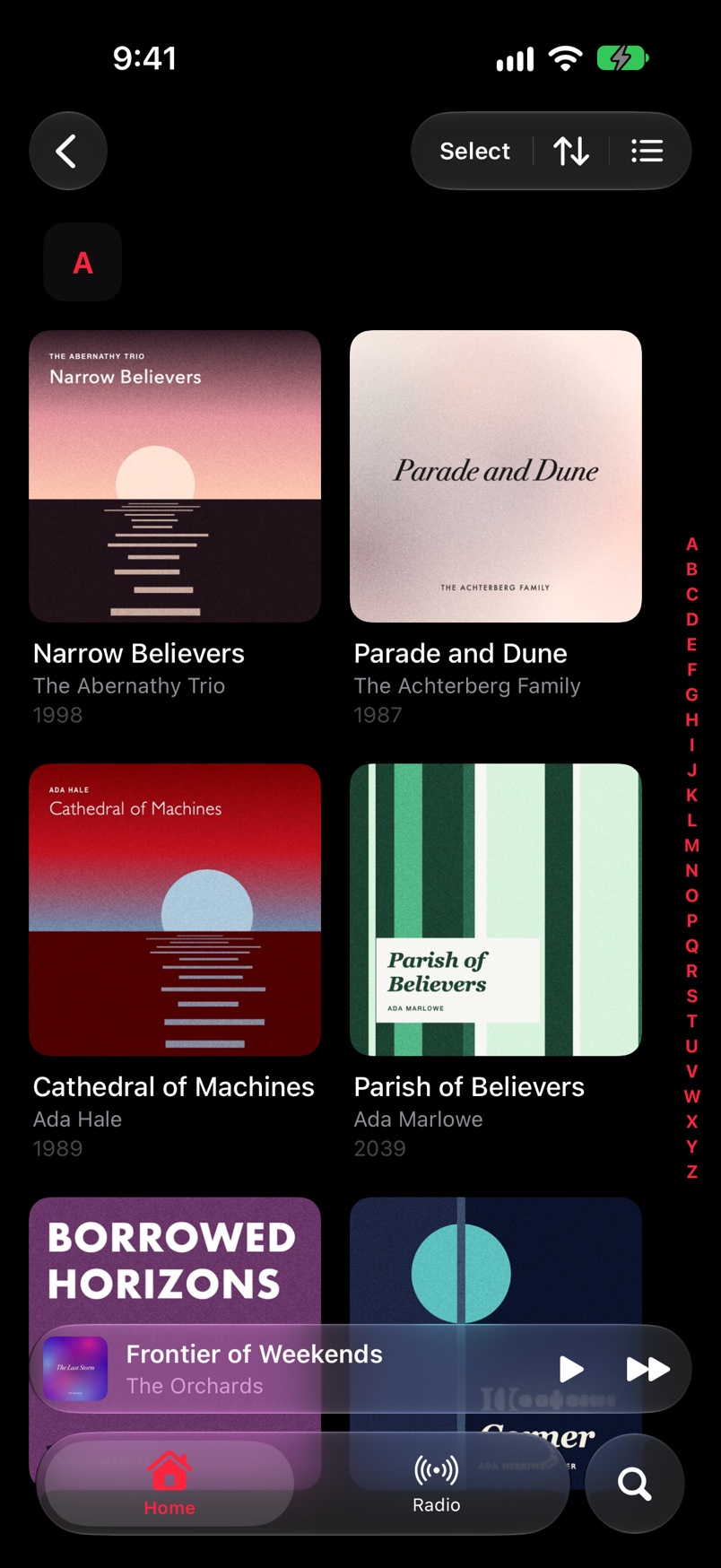
Genre families or every individual genre, artist and album hubs, list / grid / card / aesthetic layouts, deep sorts and filters, instant play or shuffle.
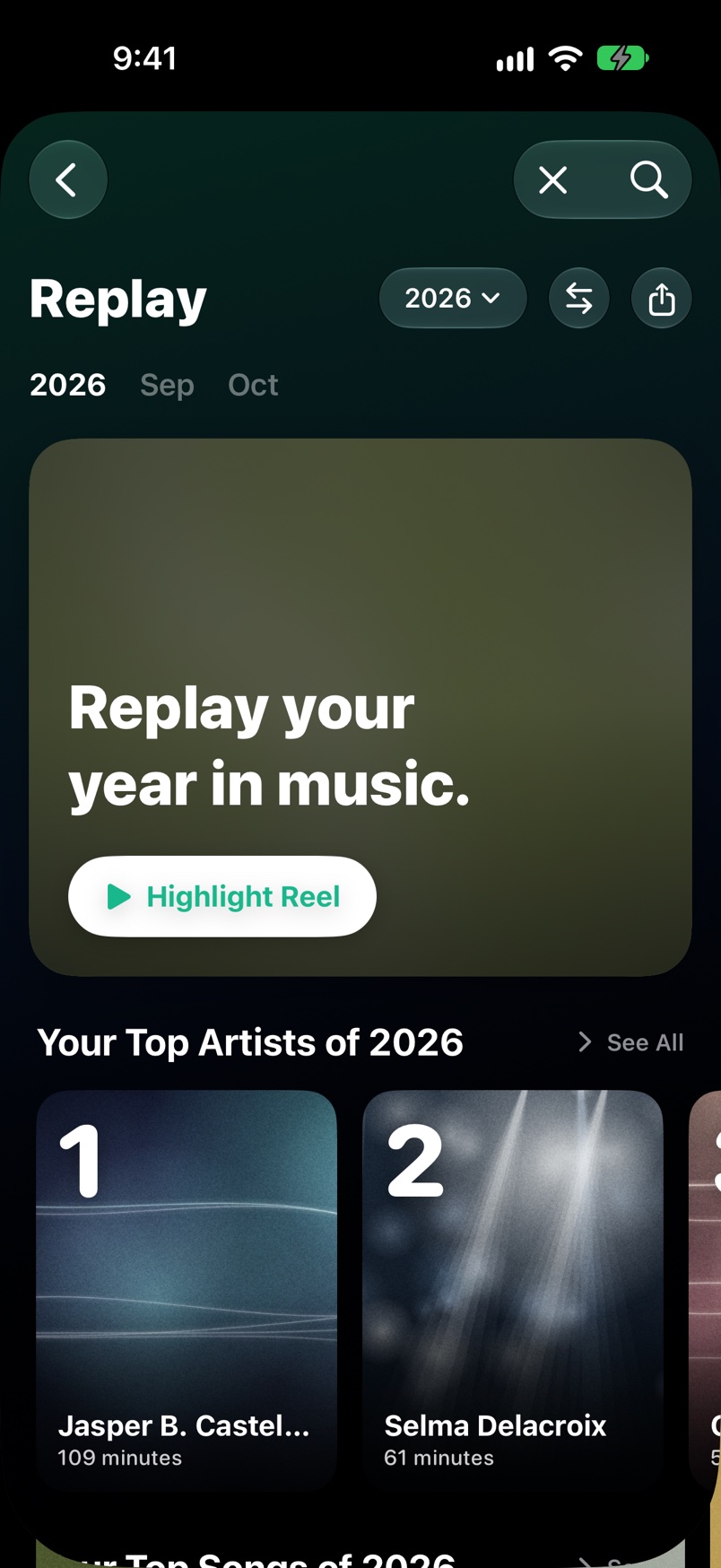
All-time and yearly overviews, story cards, highlight reels, individual days, period comparisons, sonic maps and shareable recaps.
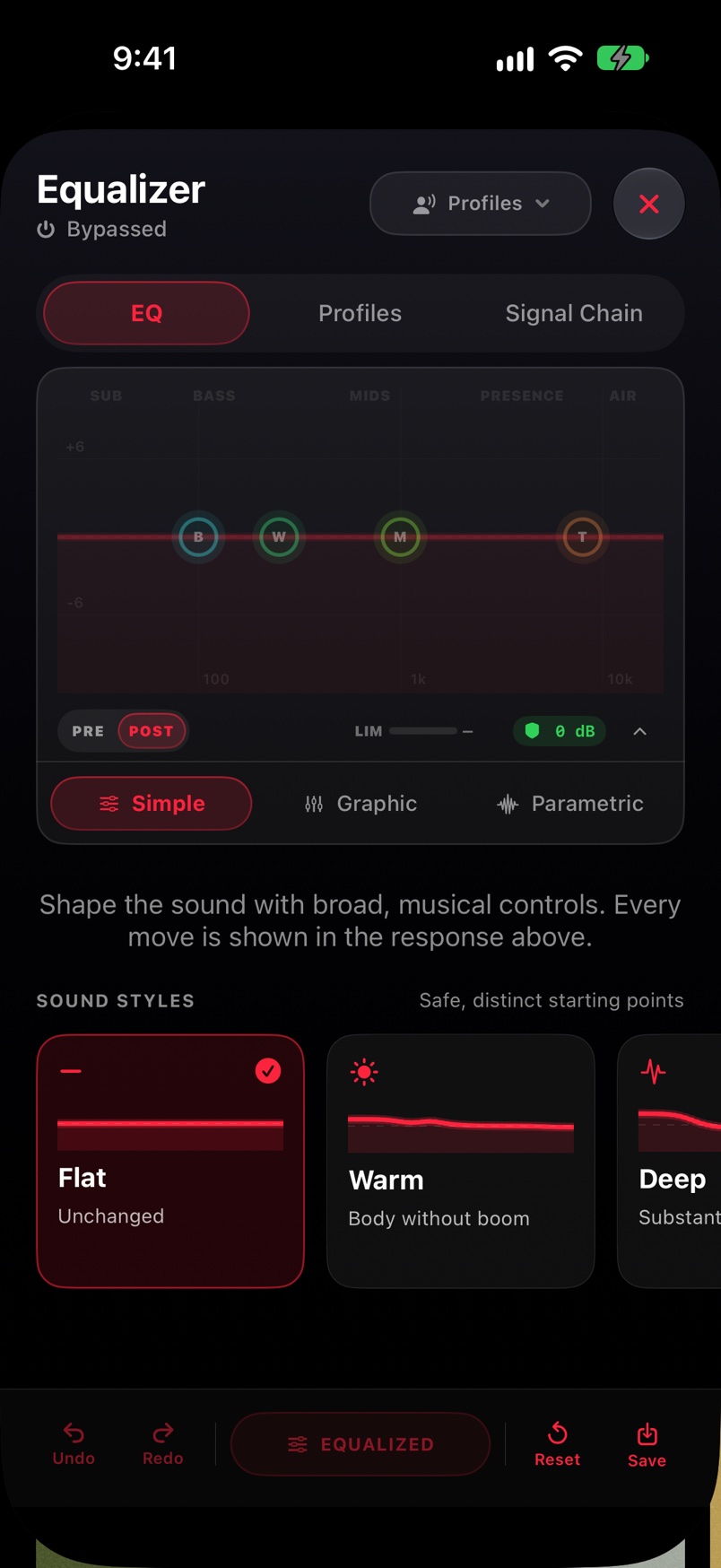
Tone, graphic and parametric EQ, live spectrum, compressor, crossfeed, auto pre-amp, clip protection, profiles, Sonos speaker EQ and convolution.
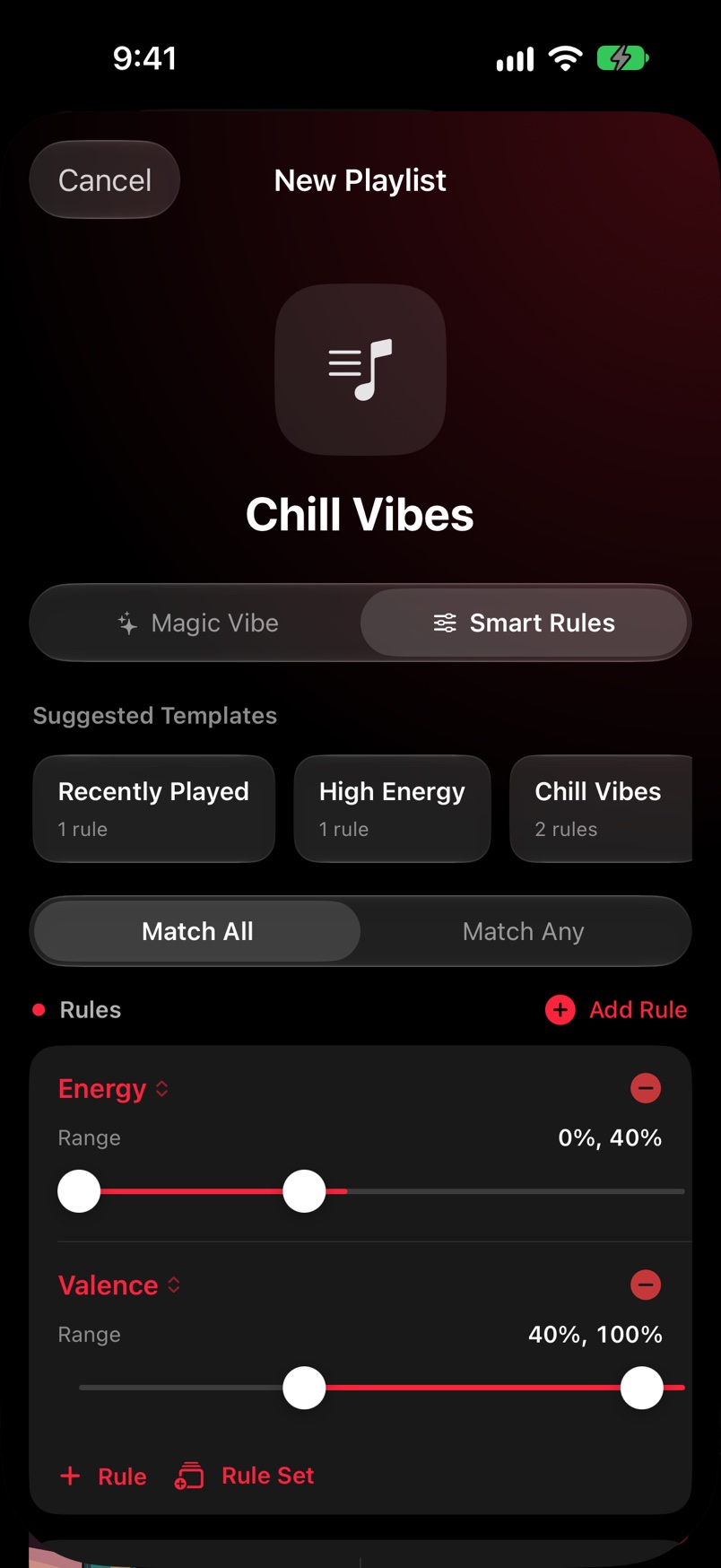
Combine metadata, listening behaviour, file quality and analysed sonic traits. Match all or any, nest groups, reference other playlists, cap and sort the result.
09 — On-device intelligence
Analysis runs on your iPhone, iPad or Mac using bundled Core ML models. Your audio, your listening history and your taste profile never leave the device — and everything Sonamp learns keeps working when the internet doesn't.
Each track is decoded and passed through audio models to produce an embedding plus descriptors for tempo, key, energy, loudness, mood, instrumentation and whether it's a live recording.
Embeddings go into an approximate-nearest-neighbour vector index so “find things that sound like this” stays instant even on libraries of hundreds of thousands of tracks.
Plays, skips, completions, favourites and imported history build a long-term taste profile, clustered into the Listening Modes behind your Daily Mixes and stations.
The session planner picks a shape, allocates energy across the whole session, enforces artist spacing and recency rules, then re-ranks and refills as you listen.
Natural-language radio maps a sentence into the same embedding space as your music, applies hard genre and era gates when you name them, and builds a station from your own tracks — not a streaming catalogue.
How phrase matching works →If you self-host AudioMuse-AI, Sonamp authenticates to it directly and gains server-side similarity, mood clustering, CLAP text search, sonic paths between songs, instant playlists and analysis job monitoring — falling back to on-device intelligence whenever it's unavailable.
AudioMuse-AI setup →10 — The complete list
Every item below links into the guide, where you'll find what it is, why it exists, how to set it up, and how to use it well.
11 — Questions
No. Sonamp works with a Plex, Jellyfin or Subsonic-compatible server, with plain SMB or WebDAV network shares, with your Apple Music library, or with any combination of those. If you only have Apple Music, Sonamp still gives you its player, EQ, Replay, downloads and customization.
No. Audio analysis runs entirely on your device using bundled Core ML models. Your taste profile, listening history and embeddings stay local. External services are only contacted for the features you explicitly connect — metadata enrichment, scrobbling, Apple Music, or a self-hosted AudioMuse-AI instance you own.
Sonamp is built for large collections. The catalogue is stored in a local database with packed scalar columns and an approximate-nearest-neighbour index for similarity, and browsing is paged rather than loading everything into memory. Libraries in the hundreds of thousands of tracks are the design target.
When Bit-Perfect mode is on and the route supports it, yes: EQ, compressor, crossfeed, convolution, volume boost and crossfade are bypassed, and the output sample rate is matched to the track. Signal Path shows you when a route or a format ceiling forced something else, rather than pretending it didn't happen.
On Sonos and supported LinkPlay/WiiM devices, Sonamp can hand the speaker its own native queue, so playback continues without your phone. Other renderers use capability-aware next-track strategies with safe fallback, and the app tells you which behaviour applies.
Probably. Nine complete styles ship with the app, and everything in them can be changed: colour, typography (including fonts you import), icon families, the tab bar, Home, browse layouts, and a Now Playing screen whose rows you can reorder or hide. Looks save as files you can share — and you can design one in the Theme Studio on this site.
Backup & Restore exports your playlists, radio preferences, history state, customization and server configuration references — optionally including the large embedding data. Playback state and EQ profiles can also follow between signed-in devices through iCloud continuity.
Available now on TestFlight
iPhone, iPad, Mac, Apple Watch, Apple TV and CarPlay. Bring your own servers, your own speakers, and your own taste. The button opens Apple’s TestFlight, where you join the beta in one tap.